
Steering a day before it is written
Updated · First published
An article written from a keyword and nothing else is competent and forgettable. The day panel is where you add the part nobody else could write.
Open this day from the day menu opens it.
Topic and format
Change what the day is about and what format the article takes, then save.
Useful when the keyword is nearly right but phrased like a keyword tool rather than like a person, or when you would rather write about the adjacent thing.
If a day has no subject yet, this is where you give it one.
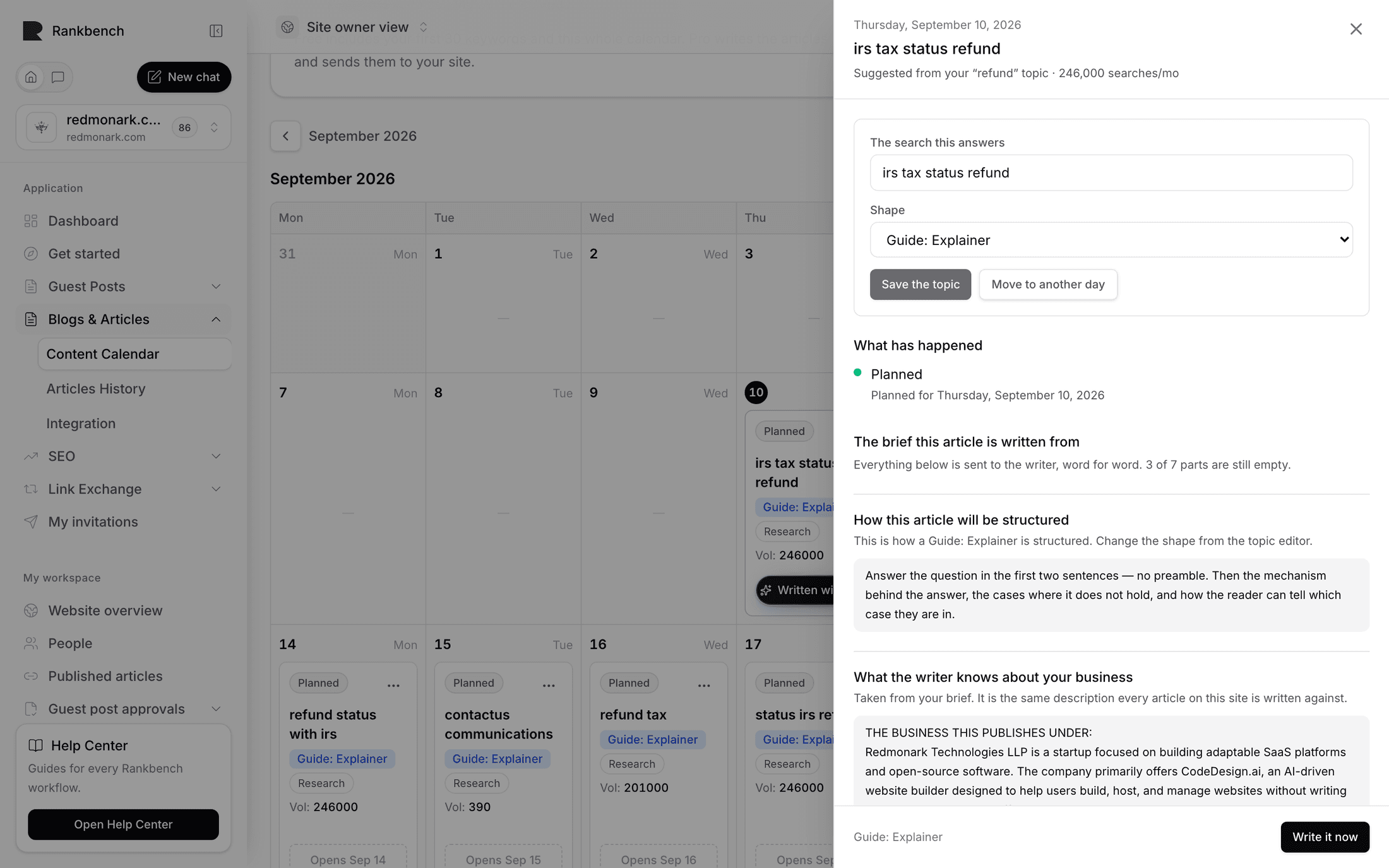
The brief
Everything the writer is given for this article. Your notes and the questions come first; the structure, your business, your style, the searches to answer and the pages to link to follow. Long parts show a few lines with Read more, and the parts that live in settings have an Edit link.
This is deliberate. If a draft came back sounding like it was written for the wrong company, the brief is where that started, and fixing it here fixes every article after it as well.
See Brief & settings.
Ask me about this one
Interview questions written for this specific article.
They are the highest-value thing on the panel. A model can research a topic; it cannot know what happened when you rolled the feature out, or which objection your customers actually raise. The questions ask for exactly that, and your answers become the parts of the article nobody else could have written.
Answer as many as you have something real to say about and save. Skipping the rest is fine.
Your notes
A free-text box for anything else: points to cover, an angle, a structure to follow, things to leave out. For example: lead with the pricing comparison, and mention that the free plan has no page limit.
Use this when you know the shape you want. Use the interview questions when you know the substance.
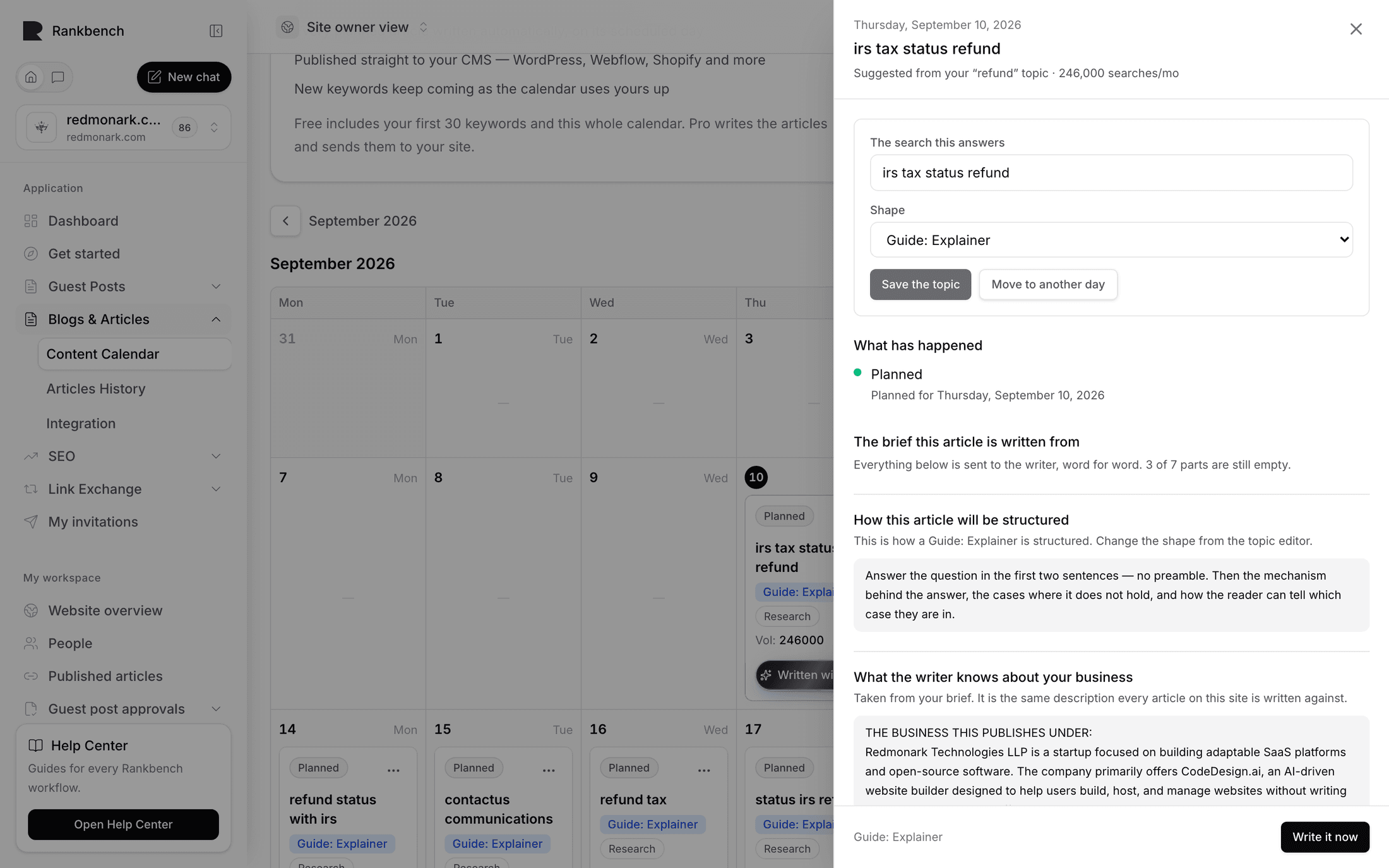
History
Once a day has been written or sent, the panel lists when, and anything that went wrong. A day that is only planned shows no history.
When to do it
Before the day arrives. An article is written on its scheduled day, so steering a day next week is free and steering today's after lunch is too late.
The realistic habit is to steer two or three days a week rather than all of them. Pick the ones where you have something to say.
Changing your mind afterwards
If an article has already been written, the day menu's Write it again discards the draft and writes it fresh with whatever the panel now says. It asks first, because your edits go with it.
How you know it was used
The draft's own evidence panel lists what went into it, including how many of your answers and instructions were applied. Where you gave none it says so, and adds the honest note that your own experience is the single biggest thing that makes an article unlike anyone else's.
Where to go next
The day page and the editor is what comes back. Brief & settings is the same steering applied to every article at once.
Still stuck?
Open Rankbench and the page this article describes — most screens explain themselves as you go.