
How to use articles you published elsewhere in backlink exchanges
Updated · First published · 3 min read
An exchange needs a page of yours that can carry a partner's link. That doesn't have to be your own website. If you can get a link added to a page, it's worth the same as a page on a site you own. This guide is for writers, consultants and anyone whose work lives on Medium, Substack, clients' blogs or past guest posts.
Step 1: Register your articles
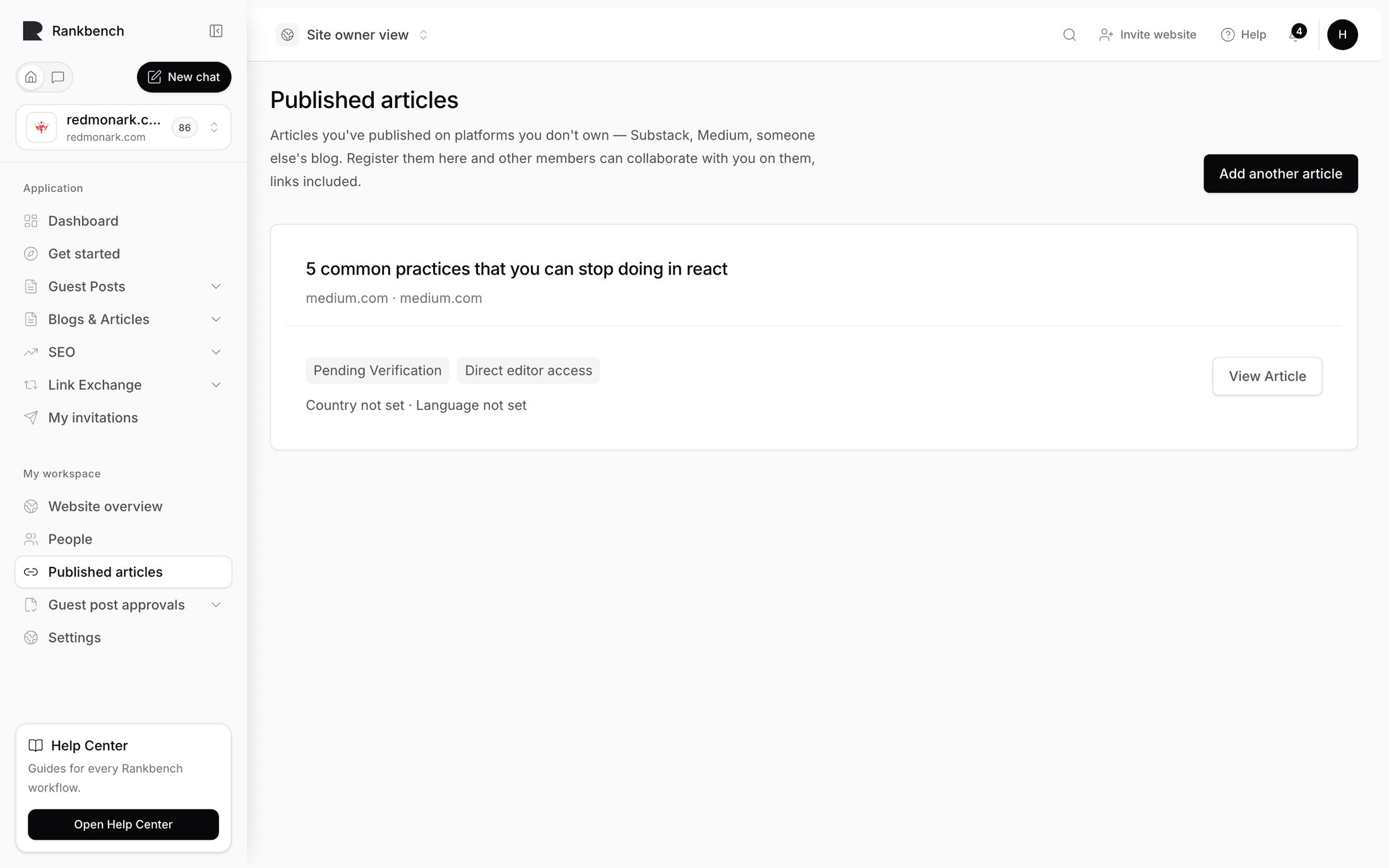
- Open Published articles.
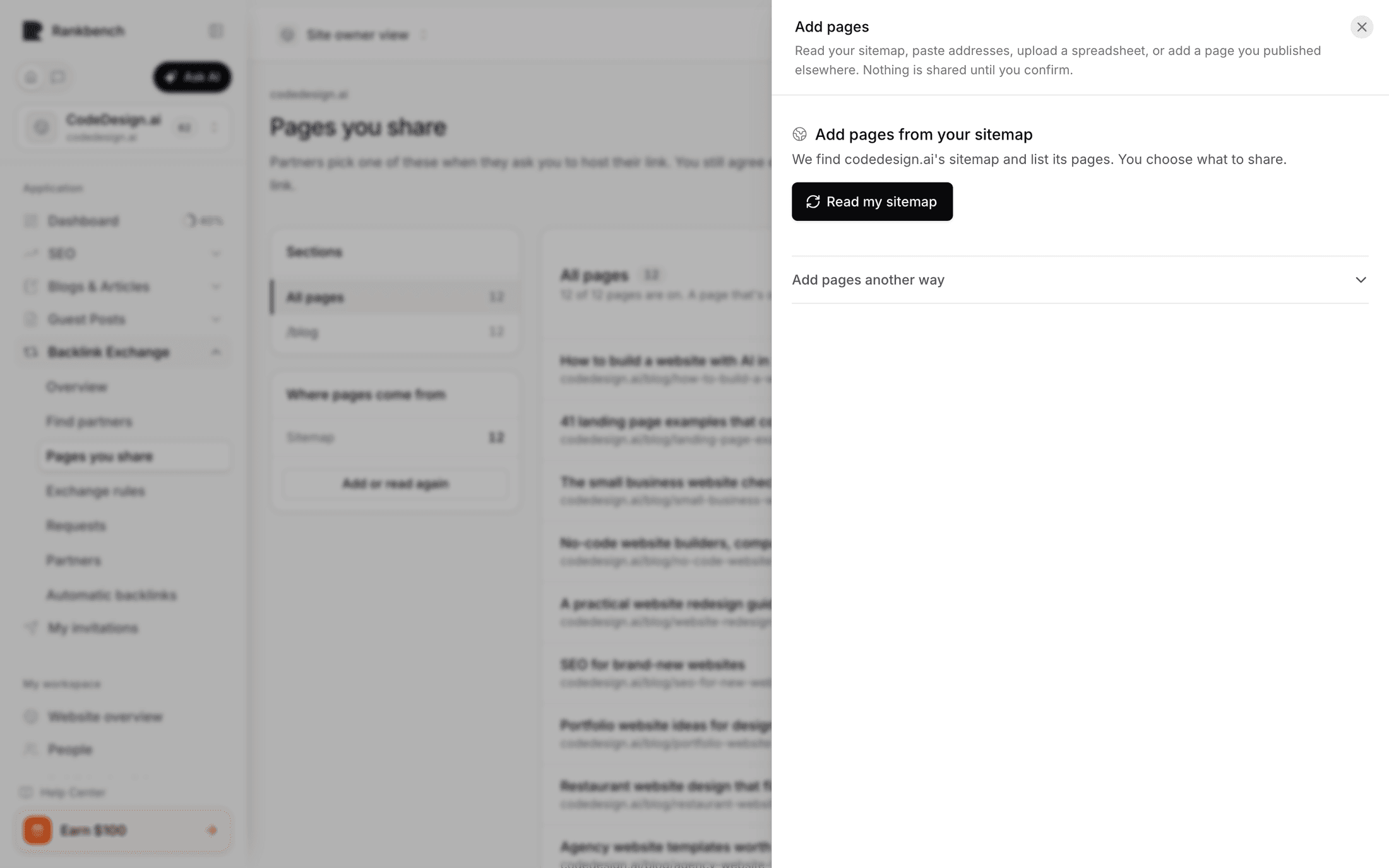
- Paste the address of a piece. You can add several at once, or upload a spreadsheet.
- Say how changes get made: I can edit them directly, or The publisher makes changes.
- Check the titles Rankbench read from each page. Partners see those titles.
Warning
Be honest about access. Partners see your answer, and claiming you can edit a page you can't leads to an agreement you can't keep.
Step 2: Wait for verification
Rankbench checks you really can update an article before collaborations are offered on it. Until then, the entry says it's pending verification.
Step 3: Share them
A verified article joins your shared list exactly like a page on your own site, with a note saying where it lives and what access you have. Partners can see at a glance which of your pages are quick and which involve a third party.
Step 4: Send an exchange request
Find a site whose readers overlap with yours and send a request as usual. The form tells you that your published articles are carrying it.
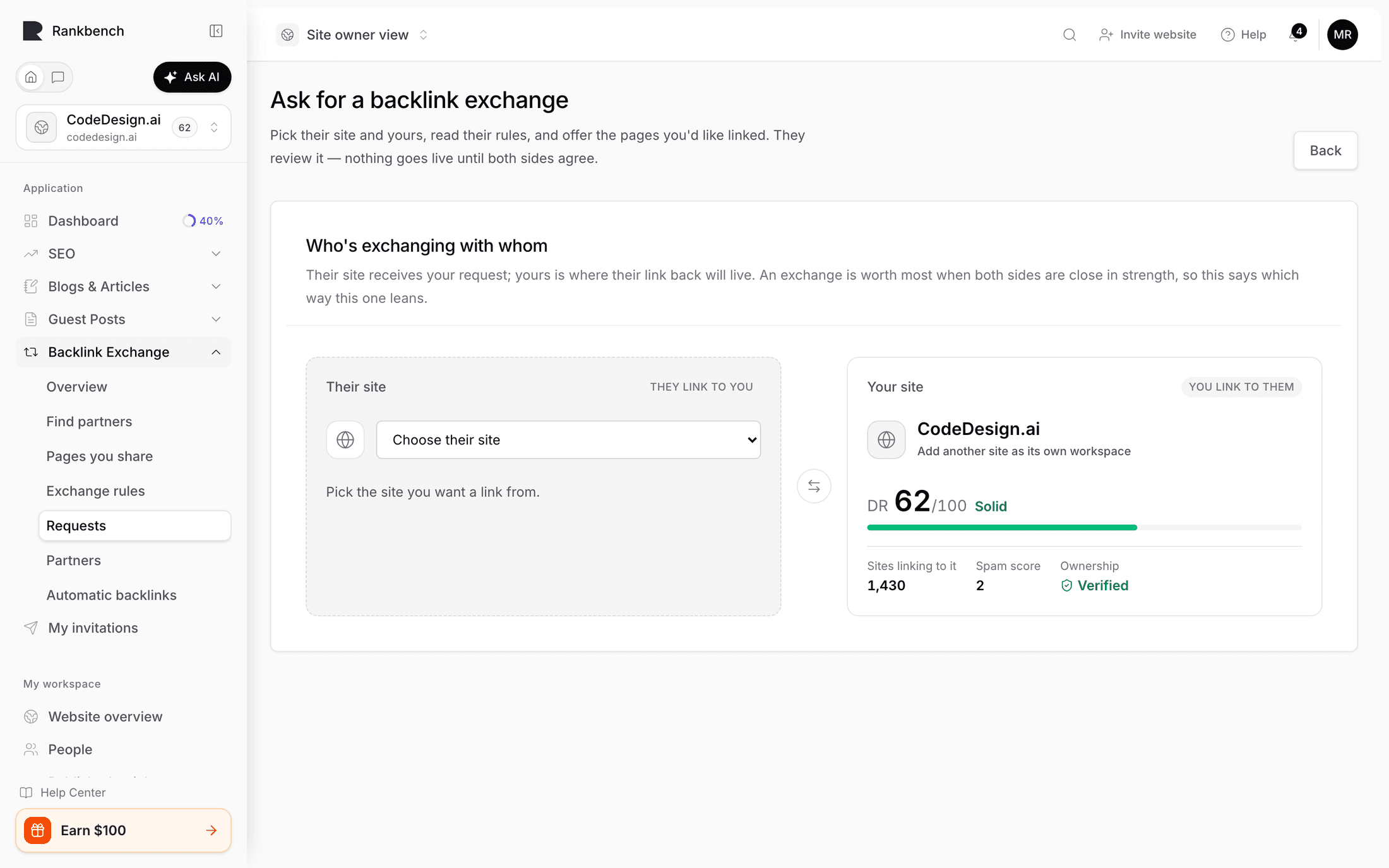
Two rules to know first:
- A partner that restricts countries or languages can't be matched by published articles, because those carry neither. The form says so.
- An article on the partner's own domain can't be used. A link from their site to their site is an internal link, whoever wrote it.
Step 5: When the publisher has to make the change
If a partner asks for a link on a page you can't edit, accept and say it's published somewhere you can't edit. Rankbench gives you a link to send the publisher, from your own email with a line of context. They see exactly what would change and press one of two buttons, with no account needed. The link expires if nobody answers.
Step 6: Open an article to collaboration requests (optional)
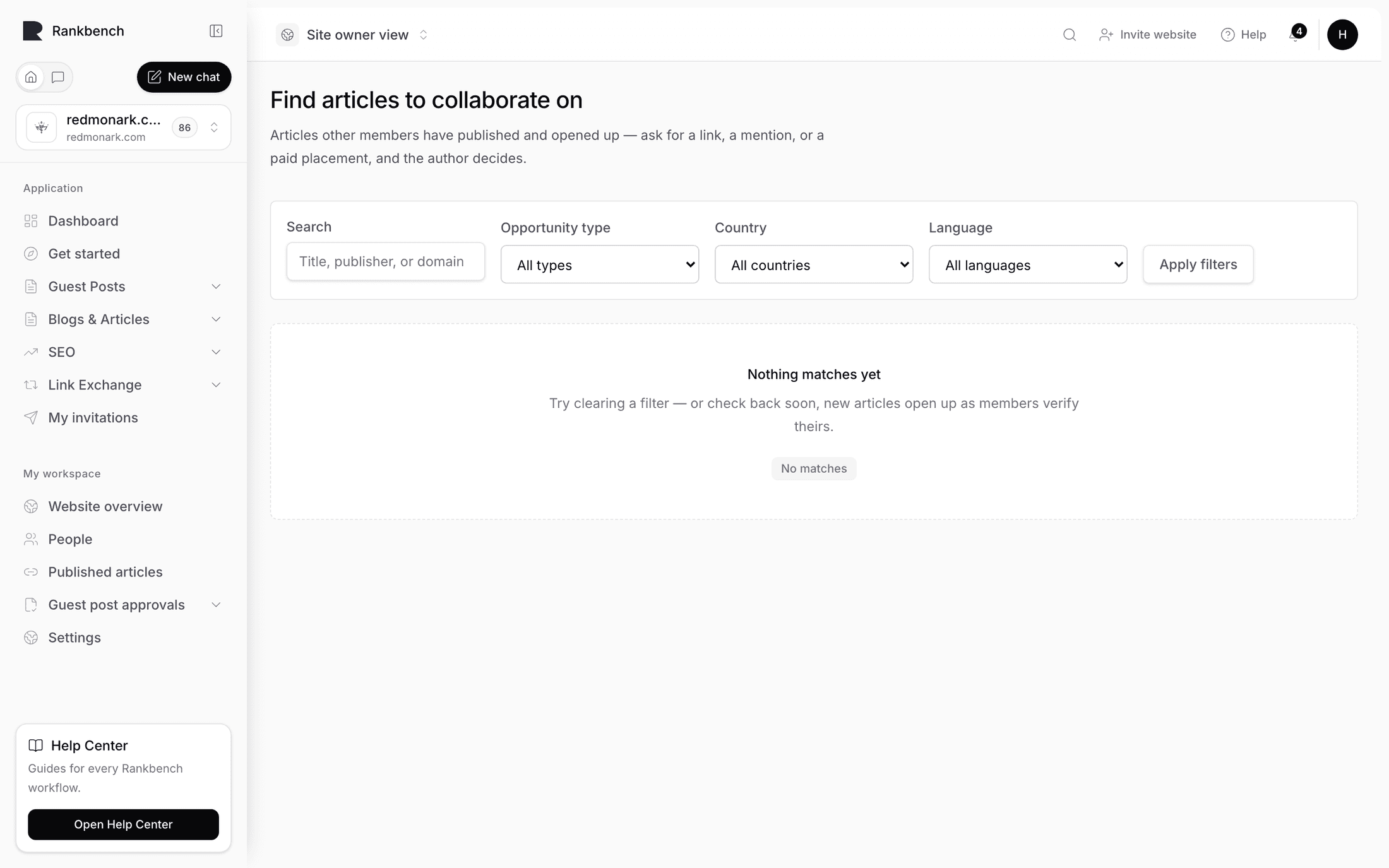
A registered article can also take link and mention requests, sometimes paid. On the article's page you set the topics you'll consider, the ones you won't, countries, languages, how many requests you'll hold at once, and how quickly you reply.
Rankbench handles no money. Agree the price in the request itself; payment is settled between you.
Tip
Open one article first, the one you're least precious about, and see what arrives before opening the rest.
What to do next
Still stuck?
Open Rankbench and the page this article describes — most screens explain themselves as you go.