
How to invite a teammate, a client's site, or an agency
Updated · First published · 3 min read
There are three ways someone ends up working alongside you in Rankbench, and they do different things. Pick the one that matches who they are:
- On your team, working on this site: add them to your workspace.
- Running a different website you want to work with: invite the website.
- An agency doing your SEO: invite them with SEO consultant access.
Step 1: Add a teammate to your workspace
- Open People in the sidebar and press Invite people.
- Enter their email address under Email addresses. You can paste several, separated by commas.
- Pick a role under What they can do, and press Send invite. Anyone already on Rankbench joins straight away; new people get an email to join.
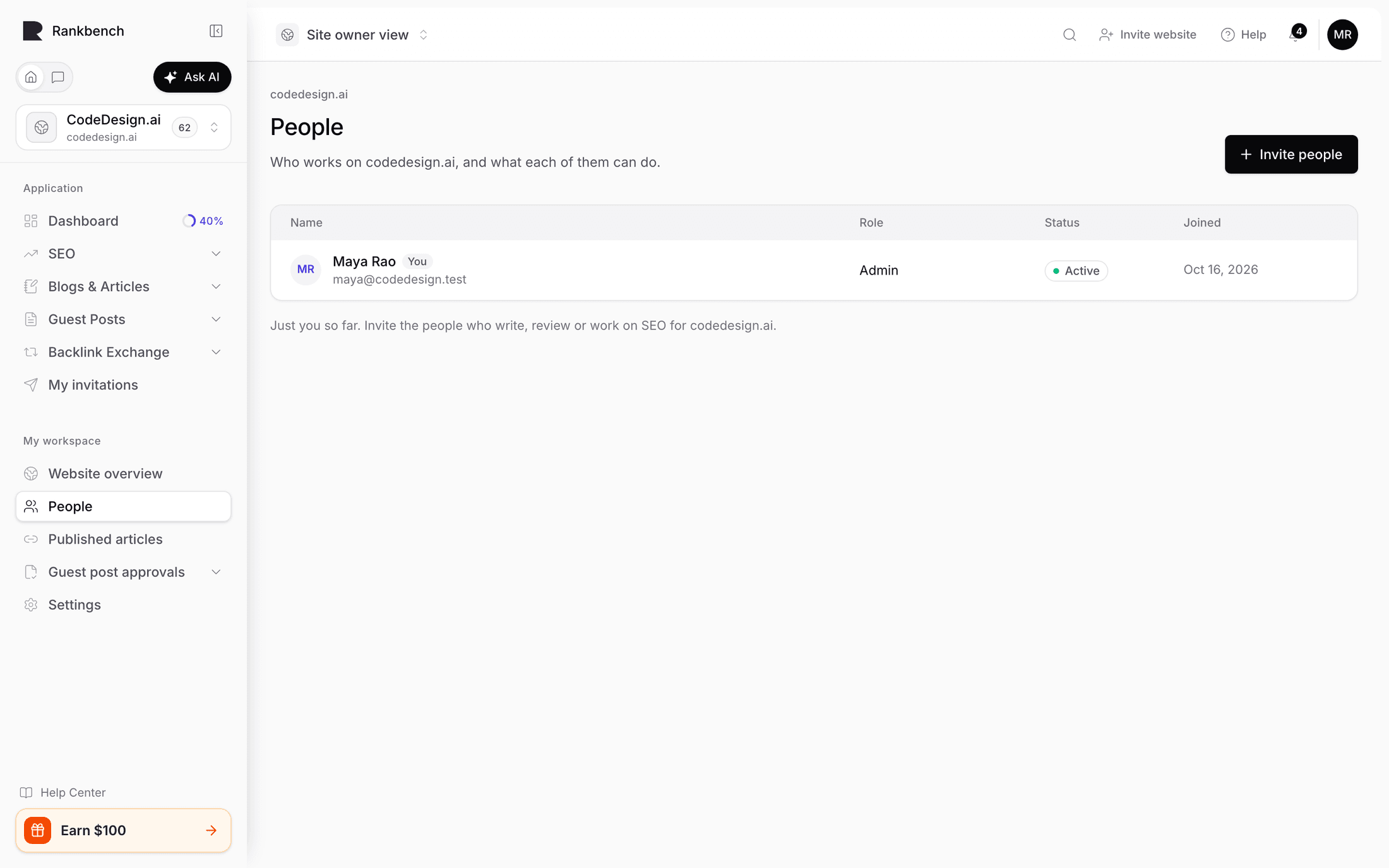
Admin runs the site, including settings and people. Internal Author contributes content. Approver reviews assigned guest posts and nothing else. SEO consultant is for someone outside your company.
Warning
Give Admin sparingly. It includes adding and removing other people, and that includes you.
On their side, the workspace appears in their switcher once they sign in, and they're told when their role changes.
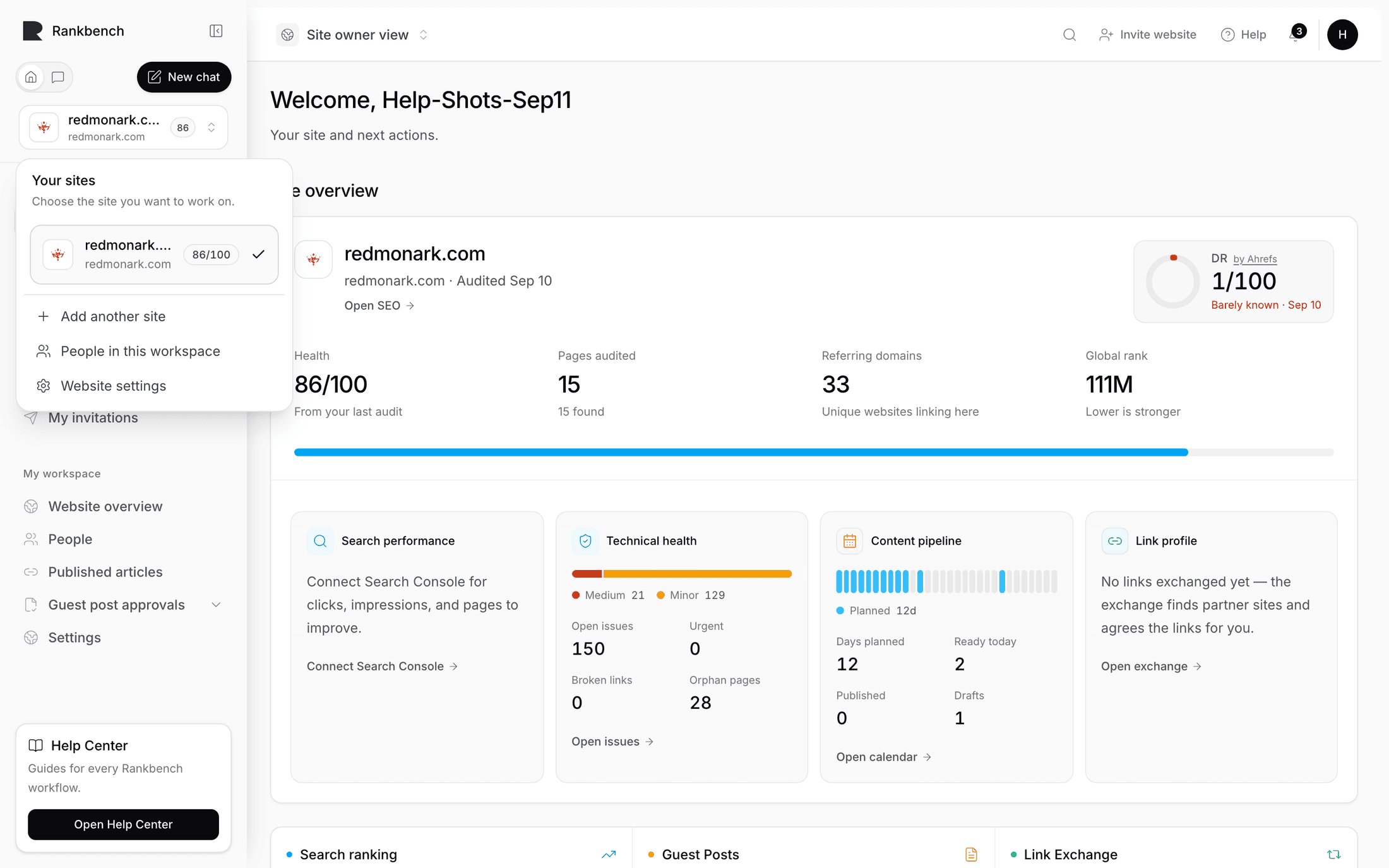
Step 2: Invite another website
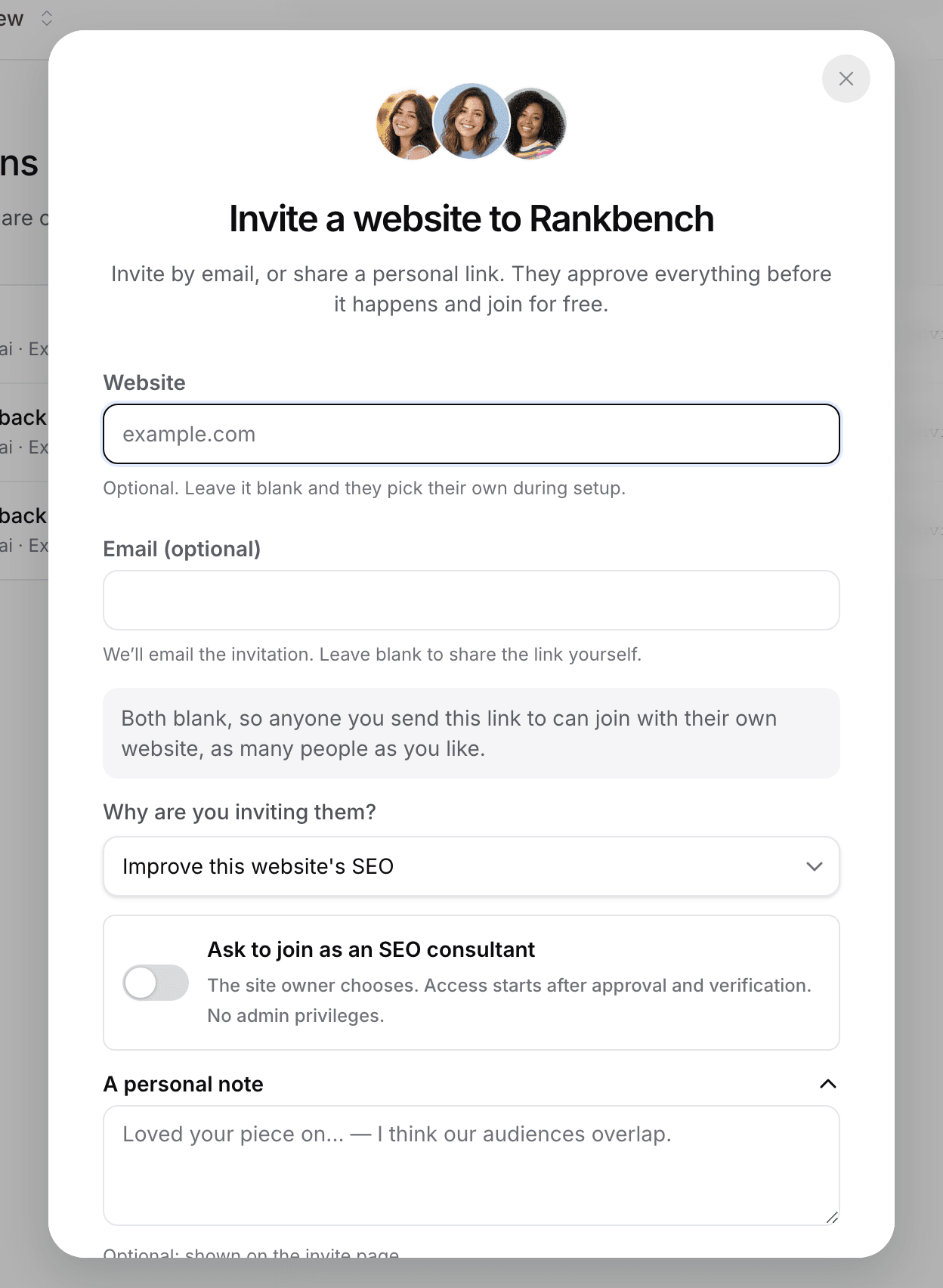
- Press Invite website in the header, or Invite a website on My invitations.
- Enter their address under Website. Leave Email (optional) blank to get a link you can send yourself, which gets read more often than a platform email.
- Set Why are you inviting them? to Receive guest posts, Build a link partnership or Improve this website's SEO. It decides where the recipient lands.
- Add A personal note if you want to say why you are reaching out, then press Create invite link.
Track it in My invitations, which lists your invite links and who joined through each, and how far they have got.
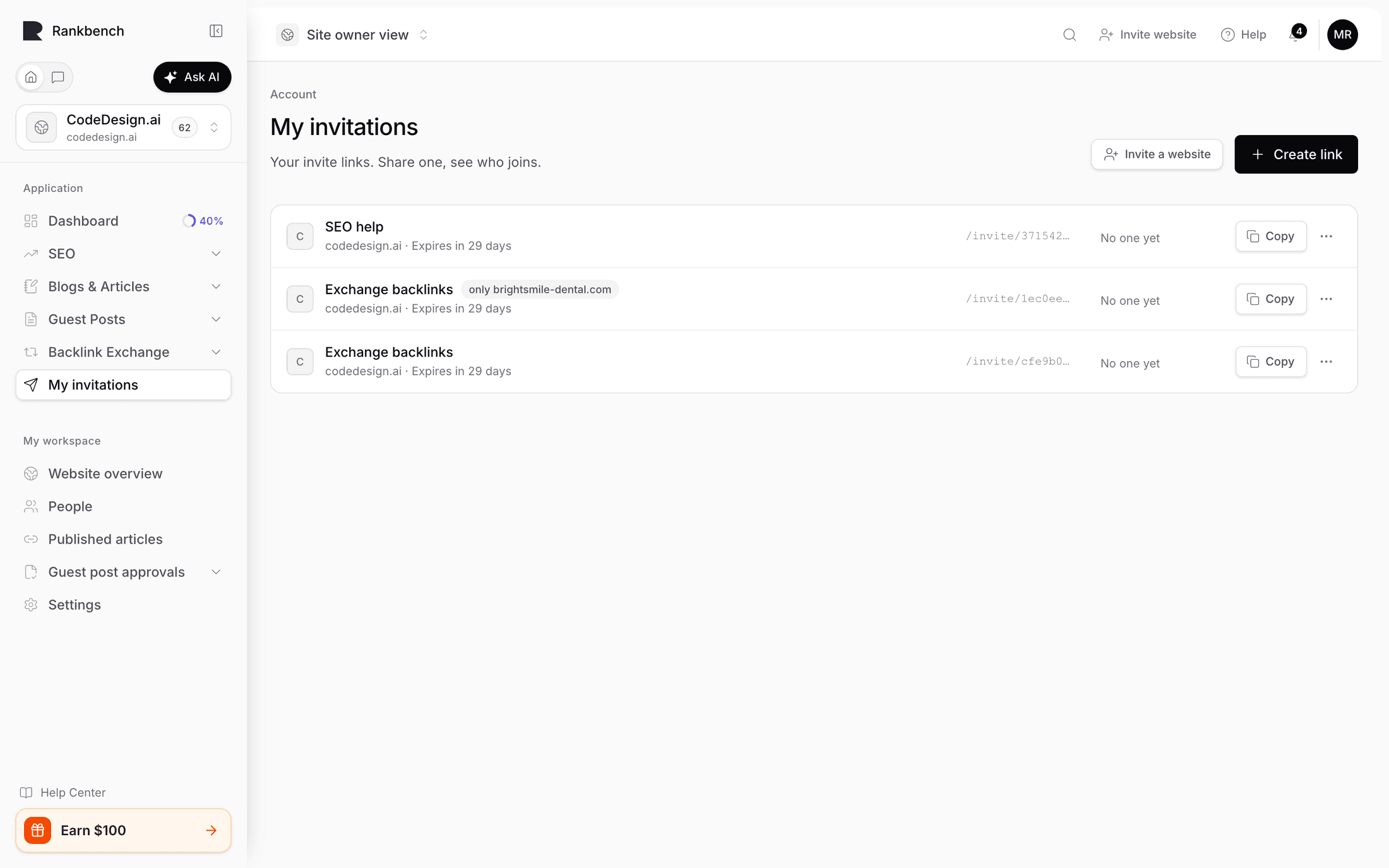
The invitation doesn't create a partnership, place a link or give you any access. Each of those still needs their agreement.
Step 3: Give an agency SEO consultant access
The agency asks for it when it invites your site. In the same invite dialog, it sets Why are you inviting them? to Improve this website's SEO and turns on Ask to join as an SEO consultant. If the agency is already on Rankbench, you can also invite them from People with the SEO consultant role.
- You see the request as an optional step in your setup. Declining doesn't stop the rest of it.
- If you approve, their access starts only once your site is verified.
- The agent can work in the audit, the calendar and the exchange. They can't touch the site's identity, people, billing or admin controls.
- You can remove that access from People at any time.
Tip
Don't make an agency an Admin because it's quicker. Admin includes billing and the power to remove you, and the SEO consultant role exists so you don't have to make that trade.
What to do next
Still stuck?
Open Rankbench and the page this article describes — most screens explain themselves as you go.