
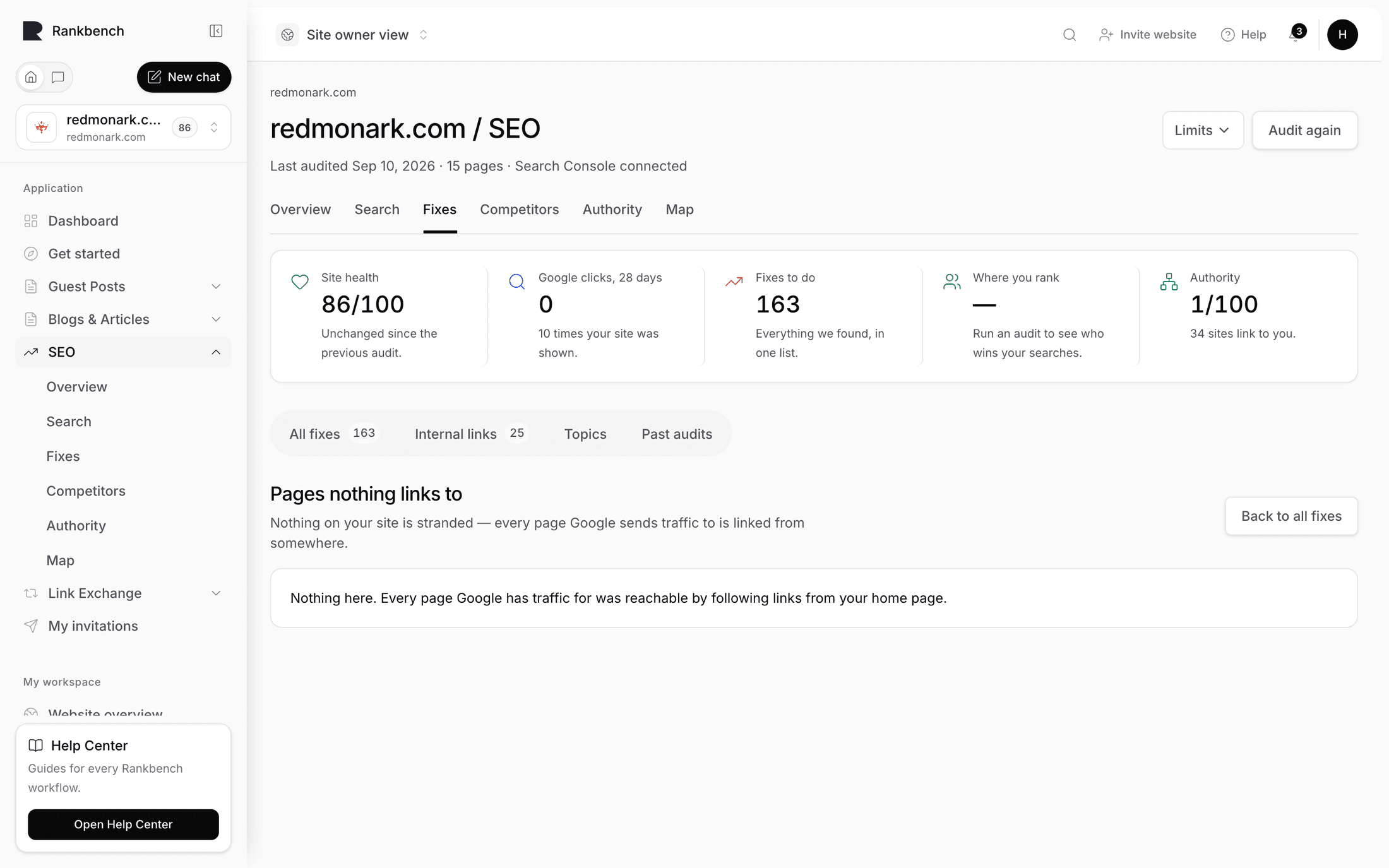
Pages nothing links to
Updated · First published
A page nothing links to is a page a visitor cannot browse to. They can only reach it from search, from a bookmark, or from a link on somebody else's site.
The view sits under the Fixes tab and is ordered by what each page already earns: "Worst first by what each already earns. Link the ones worth keeping from the pages a visitor would look on; redirect the ones you have replaced."
Why it matters
Two reasons, and the second is the sharper one.
A page nobody links to is hard for a visitor to find, so it earns less than it could.
And a page nobody links to is a page your own site treats as unimportant. Internal links are how a site says which of its pages matter. A page with none is being voted against by its own author.
The one worth acting on first
A page that gets search traffic and has nothing linking to it is the sharpest finding the audit makes. Google has decided the page is worth showing to people, and your own site has decided it is worth nothing. Those two facts should not both be true.
Those appear as their own finding, and they sit high on the list because the traffic already exists. Adding two or three links from related pages is usually an afternoon's work with an immediate effect.
What to do with each
For a page worth keeping, link to it from the pages a visitor would actually look on. In the body text, not the menu, and worded as what the page is about. Internal links often already has a specific suggestion.
For a page you have replaced, redirect it to whatever replaced it.
For a page that should not exist, delete it. If nothing on your site would naturally link to it, that is usually the answer to whether it should be there at all.
When the audit did not read every page
These are pages Google sends people to that the audit never reached. That only means nothing links to them when the audit read every address it found. When it stopped first, at its page limit or its depth limit, the view is called Pages the audit didn't reach and says how many pages it read. Some of those pages may be linked from pages it skipped; raise the page limit beside Audit again and audit again to check.
When it is empty
A clean result says so plainly: "No stranded pages found."
That is worth having. It is not a common state.
The other place to see this
The page connections map shows the same thing visually, under Pages with no incoming links. The map is better for understanding the shape of the problem; this list is better for working through it.
The homepage is excluded from both, because nothing links to a homepage from inside the site and that is normal.
Where to go next
Internal links has the specific suggestions. The page connections map is the visual version.
Still stuck?
Open Rankbench and the page this article describes — most screens explain themselves as you go.