Opening Rankbank0.0s
Getting startedCreating your Rankbank accountAdding your first websiteProving your site is yoursWriter view and Site owner viewHow Rankbank tells you thingsYour dashboardRankbank Pro and billing
Site audit & search growthThe SEO overview, explainedHow Rankbank reads your siteThe site health scoreThe Problems to fix pageEvery problem type, explainedYour fix listFindings: how to read a cardEverything Rankbank looks forThe map of your siteConnecting Google Search ConsoleThe growth planSuggested linksTopics and content ideasAuthority: how much weight your site carriesThe Search traffic pagePast reads and history
Guest postsGuest posting on RankbankSubmitting your first guest postImporting from Google DocsWriting in the Rankbank editorReview & send: the last step before the editorsWhen the editors ask for changesTracking your guest postsFor site owners: opening your site to guest postsFor site owners: writing your guidelinesFor site owners: reviewing a submissionFor site owners: publishing and the live checkThe Content Library
Link exchangeLink swaps on RankbankSetting up your site for swapsPages you shareFinding a site to swap withSending a swap requestReviewing a swap request you receivedAsking a partner for a linkAnswering a link requestWhen the page is published somewhere you can't editHow Rankbank keeps watchThe partner ledger
Content calendarThe content calendarSetting up your calendarWhere the keywords come fromReading the calendarSteering an article before it's writtenReviewing and editing a draftConnecting where it publishesPublishing and what happens nextStyle & settings
TutorialsYour first site audit, from "read my site" to fixes you can ship this weekConnecting Search Console and turning its data into clicksWriting a guest post that gets accepted, the full pathRunning guest posts on your site without letting quality slipYour first link swap, start to finishKeeping your links alive, from wording changes to missing linksA month of content on autopilot, done properly
RankbankHelp center
Open Rankbank →
Getting startedCreating your Rankbank accountAdding your first websiteProving your site is yoursWriter view and Site owner viewHow Rankbank tells you thingsYour dashboardRankbank Pro and billing
Site audit & search growthThe SEO overview, explainedHow Rankbank reads your siteThe site health scoreThe Problems to fix pageEvery problem type, explainedYour fix listFindings: how to read a cardEverything Rankbank looks forThe map of your siteConnecting Google Search ConsoleThe growth planSuggested linksTopics and content ideasAuthority: how much weight your site carriesThe Search traffic pagePast reads and history
Guest postsGuest posting on RankbankSubmitting your first guest postImporting from Google DocsWriting in the Rankbank editorReview & send: the last step before the editorsWhen the editors ask for changesTracking your guest postsFor site owners: opening your site to guest postsFor site owners: writing your guidelinesFor site owners: reviewing a submissionFor site owners: publishing and the live checkThe Content Library
Link exchangeLink swaps on RankbankSetting up your site for swapsPages you shareFinding a site to swap withSending a swap requestReviewing a swap request you receivedAsking a partner for a linkAnswering a link requestWhen the page is published somewhere you can't editHow Rankbank keeps watchThe partner ledger
Content calendarThe content calendarSetting up your calendarWhere the keywords come fromReading the calendarSteering an article before it's writtenReviewing and editing a draftConnecting where it publishesPublishing and what happens nextStyle & settings
TutorialsYour first site audit, from "read my site" to fixes you can ship this weekConnecting Search Console and turning its data into clicksWriting a guest post that gets accepted, the full pathRunning guest posts on your site without letting quality slipYour first link swap, start to finishKeeping your links alive, from wording changes to missing linksA month of content on autopilot, done properly
  1. Help center
  2. /
  3. Tutorials
  4. /
  5. Your first link swap, start to finish

Your first link swap, start to finish

Updated August 24, 2026 · 15 min read


A link swap is simple to describe and fiddly to do. You add a link to their site from one of your pages, they add one back, and search engines treat both as votes of confidence. The fiddly part is everything around it: agreeing what links where, with which words, and then noticing six weeks later when one of them quietly disappears.

This walkthrough does one complete swap. You're the site asking, and at each hand-off you'll see what the other side sees, because knowing that is most of what makes people good at this.

Three promises hold throughout, and they explain most of the design. Nothing goes live until both sides agree. Rankbank never edits anyone's website, so your partner places the link themselves. And every live link is checked, and re-checked, so you find out if it goes missing.

What you'll have by the end

  • A site set up for swaps, with a shared inventory built from your sitemap in about two minutes
  • A partnership with another site, created from a request they accepted
  • One link live on their site, with the exact words agreed between you, checked and verified
  • A ledger reading one link from you and one from them, and a rhythm for the next ten

Meet the blockers first, deliberately

Here's the trick that saves you an afternoon. Before setting anything up, go to Link Exchange, open the directory, pick any site, and press Ask to swap links.

You will be blocked, and that's the point. The panel is headed "Not yet — here's what's in the way", and it lists exactly what's missing with a button for each.

The blockers panel listing what is in the way, with buttons reading Verify your site, Set your swap rules and Turn on link swaps
Every blocker names itself and links to the screen that fixes it.

You'll meet four of these messages in normal use, and knowing them by sight is worth more than reading a checklist.

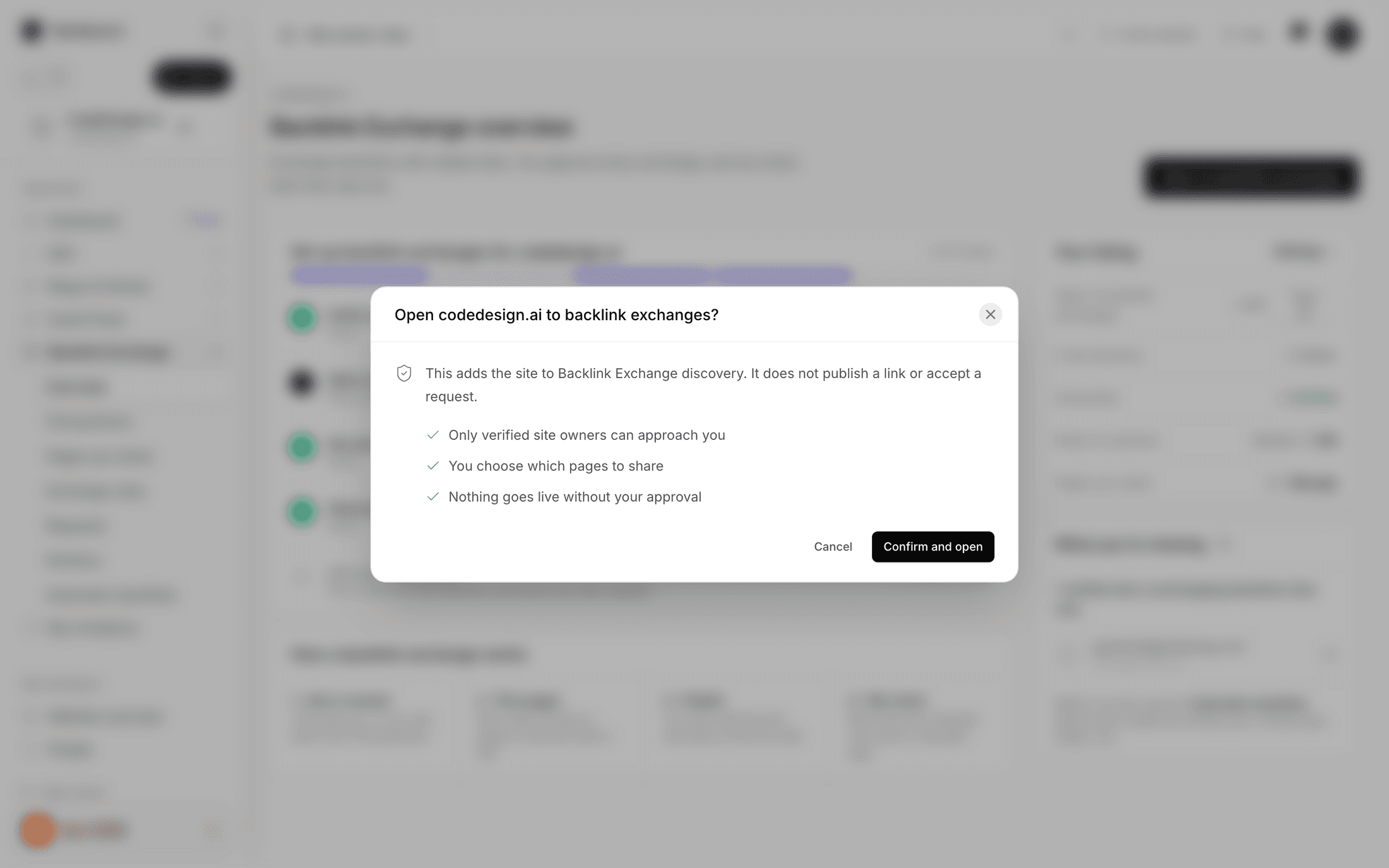
Your site isn't verified yet, with a Verify your site button. Your site has no swap rules yet, because partners need to know what you accept, with Set your swap rules. Your site isn't open to link swaps yet, with Turn on link swaps. And their side not being ready, which isn't yours to fix and suggests picking a different site.

There are two more you can't fix at all, and shouldn't want to. If both sites belong to your own workspace, a swap with yourself doesn't count for anything. If they're the same domain, links between them are internal links, not a swap.

You may also see a threshold failure naming a real figure, along the lines of your Site Rank being below the number their rules require. That's not a bug and it's not personal. Every site sets a bar. Sometimes you're under it.

Now go and clear the ones that are yours.

Setting up, in four moves

Open your site's Website Link Exchange Settings.

Verify ownership. The verification card is headed "Prove this site is yours" and offers four methods: a tag on your homepage, a small text file, a DNS TXT record, or Google Search Console. Pick whichever is easiest, then press Check my site. All four are checked at once and any one of them passes.

The verification panel showing the four methods and the Check my site button
Four methods, checked together. The results tell you what was actually found.

The results are specific rather than a red cross. If the tag isn't in place yet you'll be told the page loaded fine and the tag isn't in it. If DNS hasn't propagated you'll be told how many TXT records exist and that none match yet, along with the reminder that DNS changes take hours. Proving your site is yours covers each method step by step.

Partners only swap with verified sites, so this one is not optional.

Turn on link swaps. Under Collaboration access, switch on Accept Link Exchanges.

Go public. In the same card, set Visibility to Public. Private, Invite Only and Paused all keep you out of the directory, which means nobody can find you to swap with.

Save your rules once. The Guidelines card is where you set the bar.

The link exchange settings showing collaboration access switches and the guidelines card with its numeric thresholds
Each save creates a new guideline version. Requests already in flight keep the version they acknowledged.

Two fields do the real filtering: Minimum Authority Score and Minimum Referring Domains. Both are checked in both directions, so they filter who can ask you and who you can ask. Set them honestly. A new site demanding an authority of 50 will simply never match anyone.

Referring domains means how many different websites link to yours, which matters far more than the raw number of links. Authority score is a rough estimate of how much weight your domain carries. Authority explains both properly.

Then set Expected review days. That number becomes "Usually replies in N days" on your directory card, and it's the single field that makes people choose you over an identical site. Answer in three days and say three.

Press Save Link Exchange settings. Setting up your site for swaps covers every field.

An inventory in two minutes

A swap needs somewhere for their link to live. That list is Pages you share, and the page is careful about what sharing means: the pages partners can ask to place a link in, where you agree the exact wording of every link before it goes live. Sharing a page just puts it on the menu.

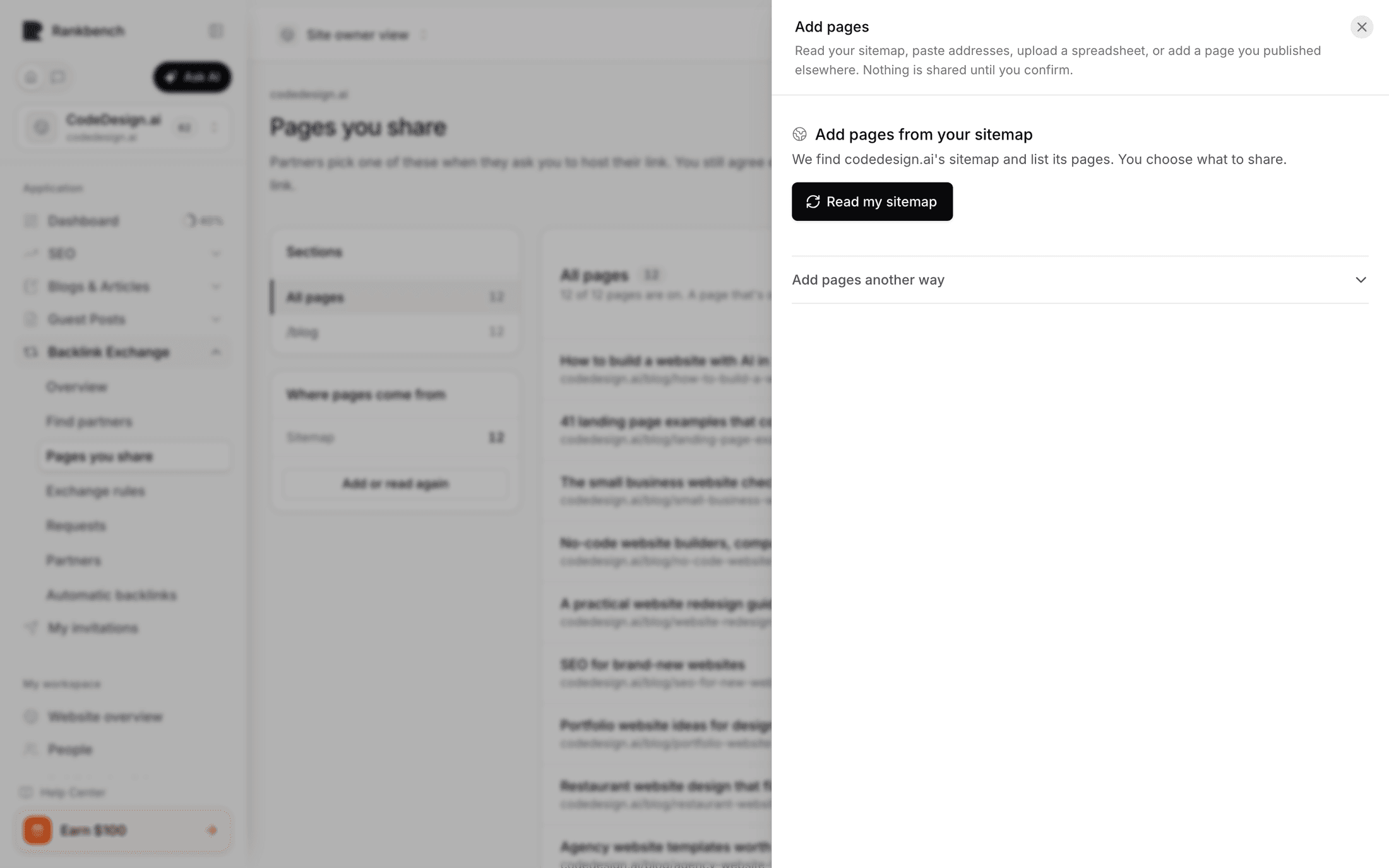
Four ways to build the list. The fast one is the first tab.

The Read my sitemap tab with the sitemap address field defaulting to slash sitemap dot xml and a Read it button
Most sites keep it at /sitemap.xml. If yours lives elsewhere, change it here.

Press Read it. Rankbank fetches your sitemap, follows a sitemap index one level down if that's what it finds, and comes back with a list. The failures are honest too: a 404 says so with the URL and status, and a file that loads but isn't a sitemap says that instead of pretending.

Then the review step, which is the part to actually do rather than click past.

The review step showing pages found, a selection count, and the Share N pages button
Untick anything you'd rather not offer before sharing.

Untick your pricing page, your login page, your legal pages, and anything thin. Keep your genuinely useful articles, the ones a partner's link would sit naturally inside. Twelve good pages beat two hundred scraped ones, because your inventory is what a prospective partner judges you on.

Press Share N pages. The saved list has Hide, Share and Remove per row, so you can adjust later without rebuilding.

The other three tabs matter in specific situations. Paste addresses for a handful of URLs. Upload a spreadsheet if your list already lives in Excel, with a column-mapping step that guesses the column with the most links in it. And A page I published elsewhere for guest posts and articles on other people's sites, which asks who can change that page. Answer that one truthfully, because partners are told up front whether a publisher has to apply changes. Pages you share covers all four.

An empty inventory blocks you from sending requests, and rightly so.

Choosing a partner well

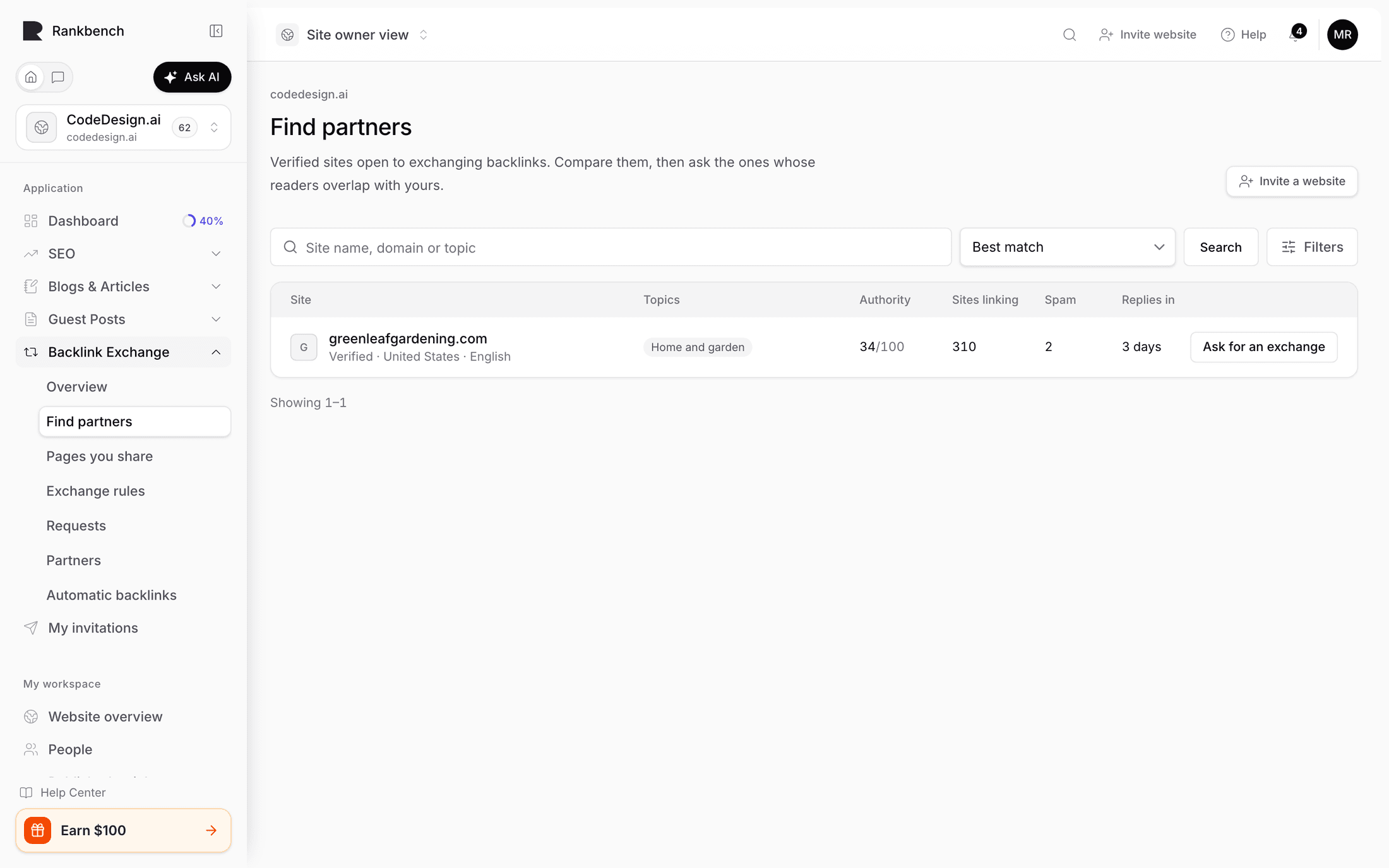
Open the directory, Find a site to swap links with. Everyone listed has said yes to swap requests, is verified-visible, public, and has live rules. In other words, everyone here is actually reachable.

The directory showing result cards with metrics, a Verified chip, and a usually replies in line
Search first. Most people find a partner without touching the filters.

Search by name, domain, or topic. Sorts are Best match, Strongest sites first, Most sites linking to them, and Newest here, and there's a Narrow it down disclosure for category, country, language, verification, an authority floor, a referring-domains floor, and replies-within.

Now the advice that runs against instinct. Do not sort by strongest and ask the biggest site on the list.

Two reasons. The first is arithmetic: their rules almost certainly set a minimum you don't meet, and the request will be blocked or declined. The second is that a swap is worth most when both sides are close in strength, which the comparison card on the next screen says out loud. A link from a site three times your size is worth a lot in theory and is almost never on offer in practice, because they have no reason to want yours.

What you want is a site roughly your size whose readers overlap with yours. The directory description says exactly that: pick one whose readers overlap with yours, because that's what makes the links worth having. A link from a related site your size, in a relevant sentence, does more than a stronger link from a site about nothing in particular.

Read the card. Metrics strip, categories, country, language, a Verified chip, and "Usually replies in N days". If a site is not in the directory, Invite a website makes a personal invite link that you send yourself, since Rankbank emails nobody. Finding a site to swap with covers the filters and the invite dialog.

Press Ask to swap links.

The request

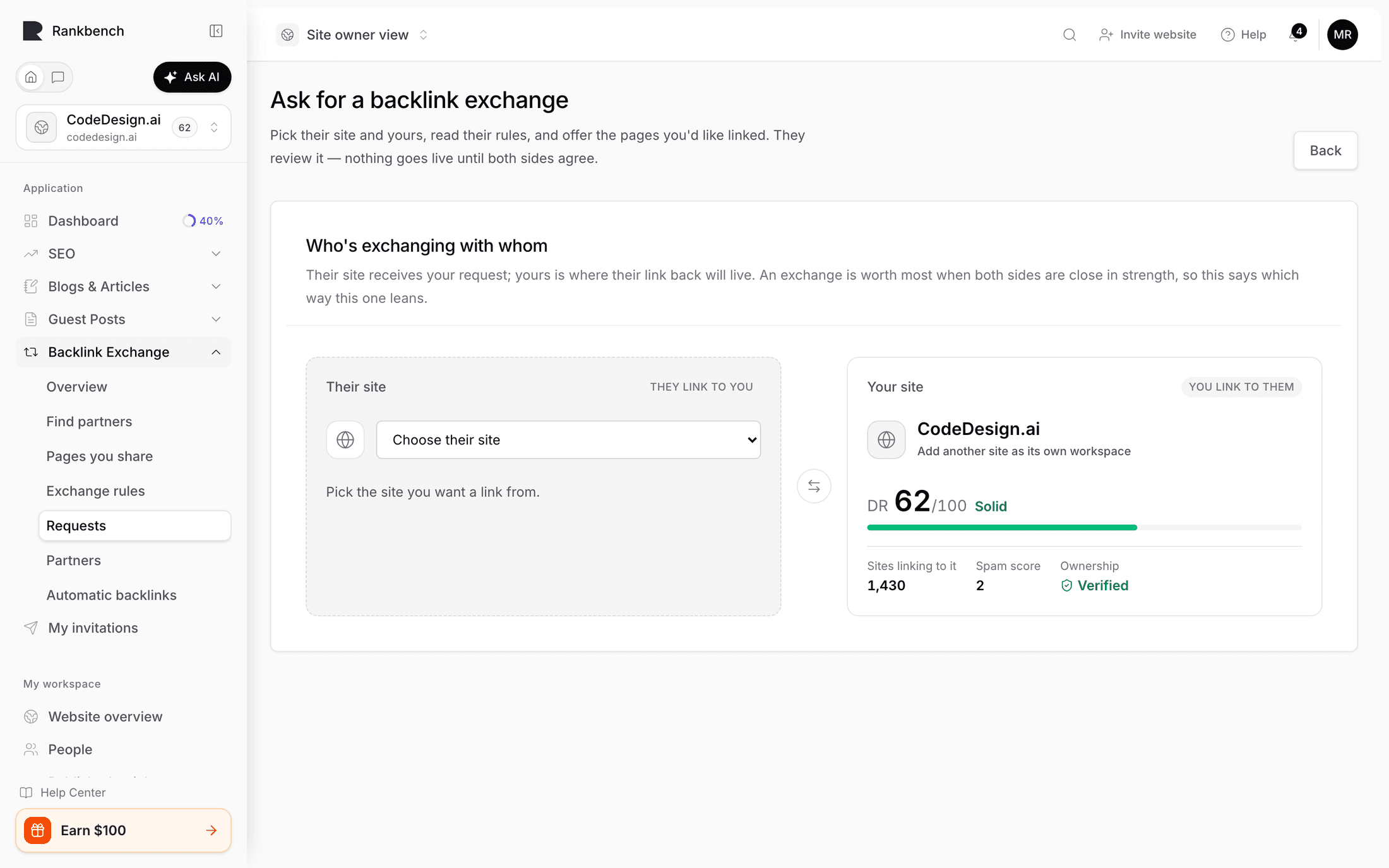
Pick their site and yours. Eligibility rechecks itself as you change either one, with no button to press. If you cleared your blockers, the form opens.

The eligible request form showing the comparison card, their rules with its checkbox, and the pages each side is offering
How the two sites compare, their rules, what you could get, and what they'd get from you.

Four cards, in order.

How the two sites compare puts both metric strips side by side, with yours marked. This is your reality check.

Their rules shows the exact version your request is reviewed against, with a required checkbox reading "I've read their rules and my pages follow them." Read it rather than ticking it. If they require contextual links only and you were planning to offer a resources page, you've just saved everyone a round trip.

What you could get lists the pages on their site open to hosting a link. If it's empty, you can still ask. Most owners add theirs once a partner is interested.

What they'd get from you shows your shared pages. Your first 25 travel with the request, each frozen with a snapshot of its status, indexability, site rank, and referring domains, so the numbers you both discuss are the same numbers.

Then the note. The card says they read this first, and to say why the swap makes sense for their readers. Take it literally and be specific. "Your guide on invoice automation pairs with our piece on approval workflows, and both send readers to the other's next step" gets accepted. "Hi, would you like to exchange links?" does not, and it's the single most common reason a request dies.

Press Send the request. You get a confirmation reading "Request sent" and "Now it's {site}'s move", with the pages you offered listed as they were sent. There is nothing else for you to do. Sending a swap request covers every blocker message in detail.

Their chair

On their side a notification arrives saying somebody wants to swap links, and it lands in their requests queue.

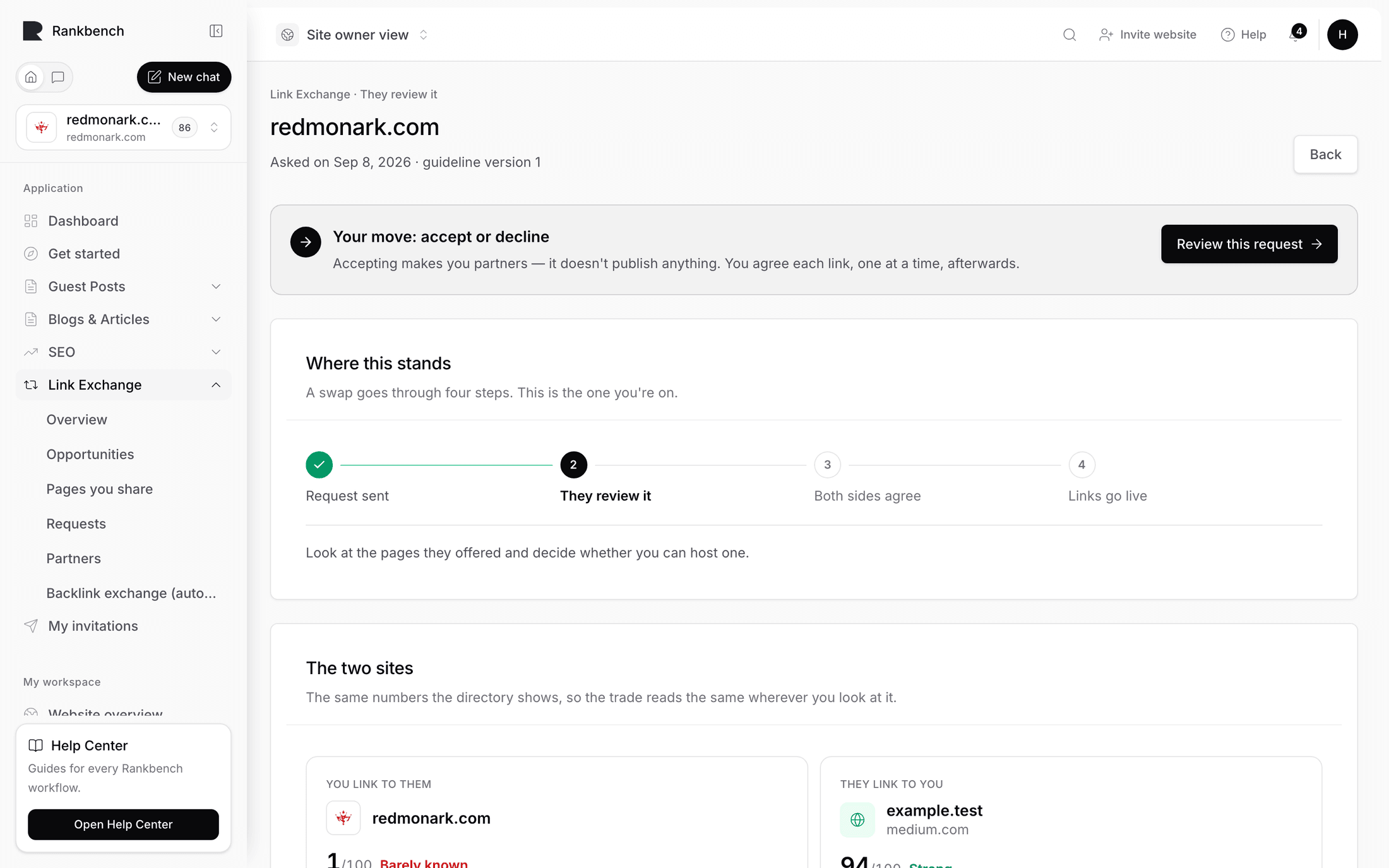
They see your message, your site's numbers, and the pages you offered, each with the same frozen snapshot you sent. Then a decision card explaining what accepting does: accepting makes you link partners, either of you can then ask for specific links, every one is agreed before it goes live, and nothing is published by accepting.

Their three buttons are Accept and become partners, Ask them something first, and Decline. They can add a note, which you see either way.

That distinction is the thing most people get wrong about this product. Accepting does not place a link. It opens a relationship. Reviewing a swap request you received is their side in full.

They accept. You get a notification. You're partners.

The ask, and the part worth slowing down for

Open Partners and press Ask for a link. Partners never file another request, which is the whole benefit of being partners: you ask each other for links whenever you have a page worth linking.

Four steps.

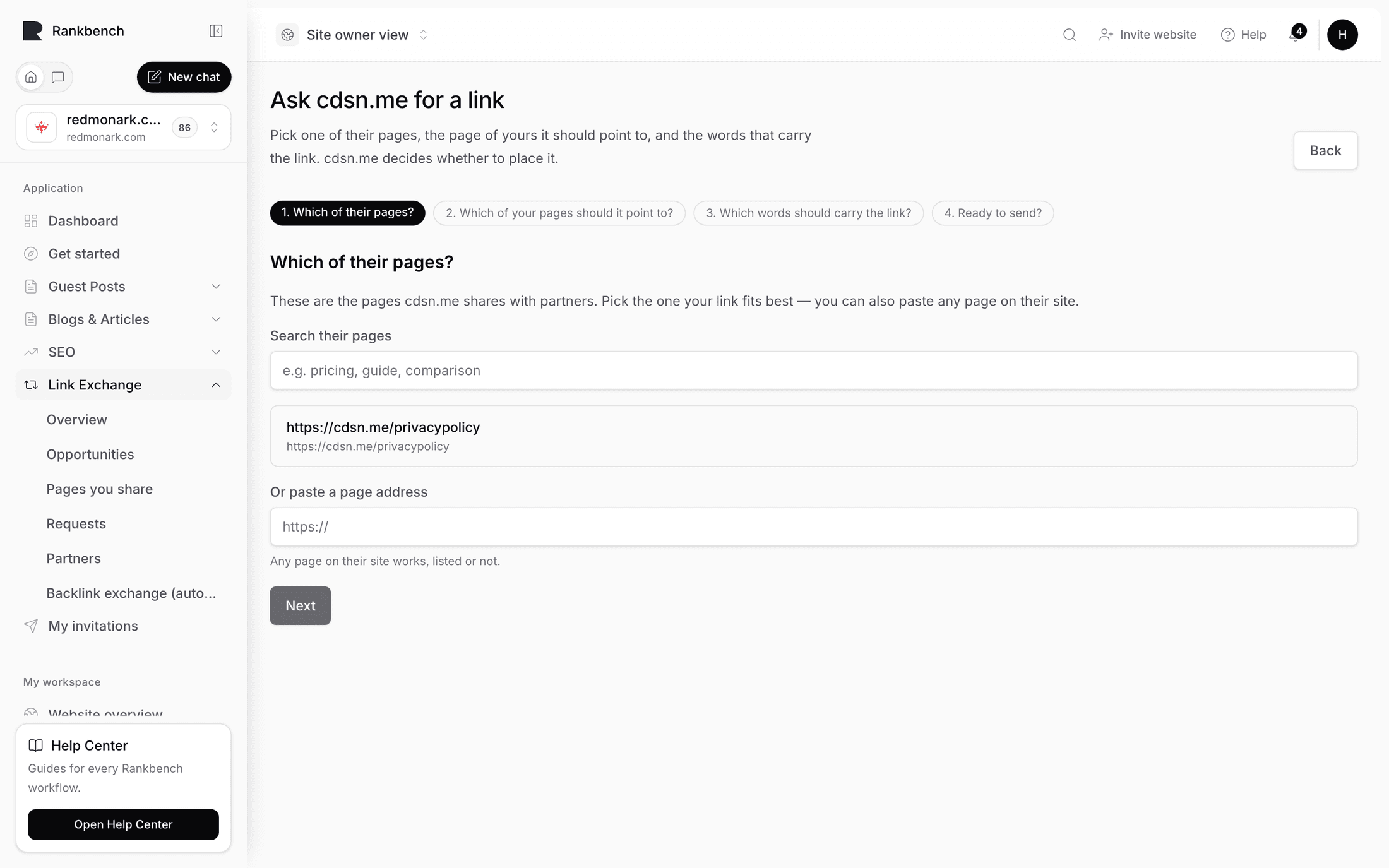
Which of their pages? Their shared pages are listed with search, and you can paste any page on their site, listed or not. Pick the one where your link would genuinely help a reader. If their guide on approval workflows has a paragraph about spend controls and your page is about spend controls, that's the one.

Which of your pages should it point to? Usually the one you're trying to rank. Not your homepage. A homepage link is the weakest thing you can ask for and it's the one everybody asks for.

Which words should carry the link? This is the step that makes Rankbank different, so give it a minute.

Step three showing the partner's page as paragraphs, with "enhance loading times" selected in one of them and the same words filled into the Anchor text field
Their page, read out as paragraphs. Select the words with your mouse and they become the anchor.

Rankbank opens their live page and renders it as readable text. You select the exact words that should become the link, with your mouse, on their actual page. No guessing, no describing a paragraph in a note and hoping.

Then choose how it goes in. Link the words that are already there means the existing words become the link and nothing else on their page changes. That's the easy yes, and it's what you should reach for first. Add a new sentence puts one new sentence in after the one you picked, and Rankbank suggests wording along the lines of "For more on this, see {anchor}."

Keep the anchor short. Over 120 characters you'll be told that's a lot of words for one link and asked to pick a short phrase. Aim for two to five words that describe what's on the other end. "Spend controls for finance teams" is good. "Click here" tells nobody anything, including Google.

If their page can't be read, you get a graceful fallback: type the words you want linked and paste the sentence they sit in, with their page open beside you.

Ready to send? shows the preview, with the anchor bold and underlined inside its sentence, so you can see the change the way they'll see it.

Step four showing the preview with the sentence and the anchor highlighted, the optional note, and the send button
Exactly what they'll be asked to do, before you ask it.

If their page is one published on somebody else's site, there's a note explaining that the publisher has to apply the change and it usually takes a little longer. Add an optional note, then press Send to {partner}. Underneath, the footnote states the deal: they decide whether to place it, and nothing appears on their site until they do.

Asking a partner for a link walks all four steps again in reference form.

Their chair again, then live

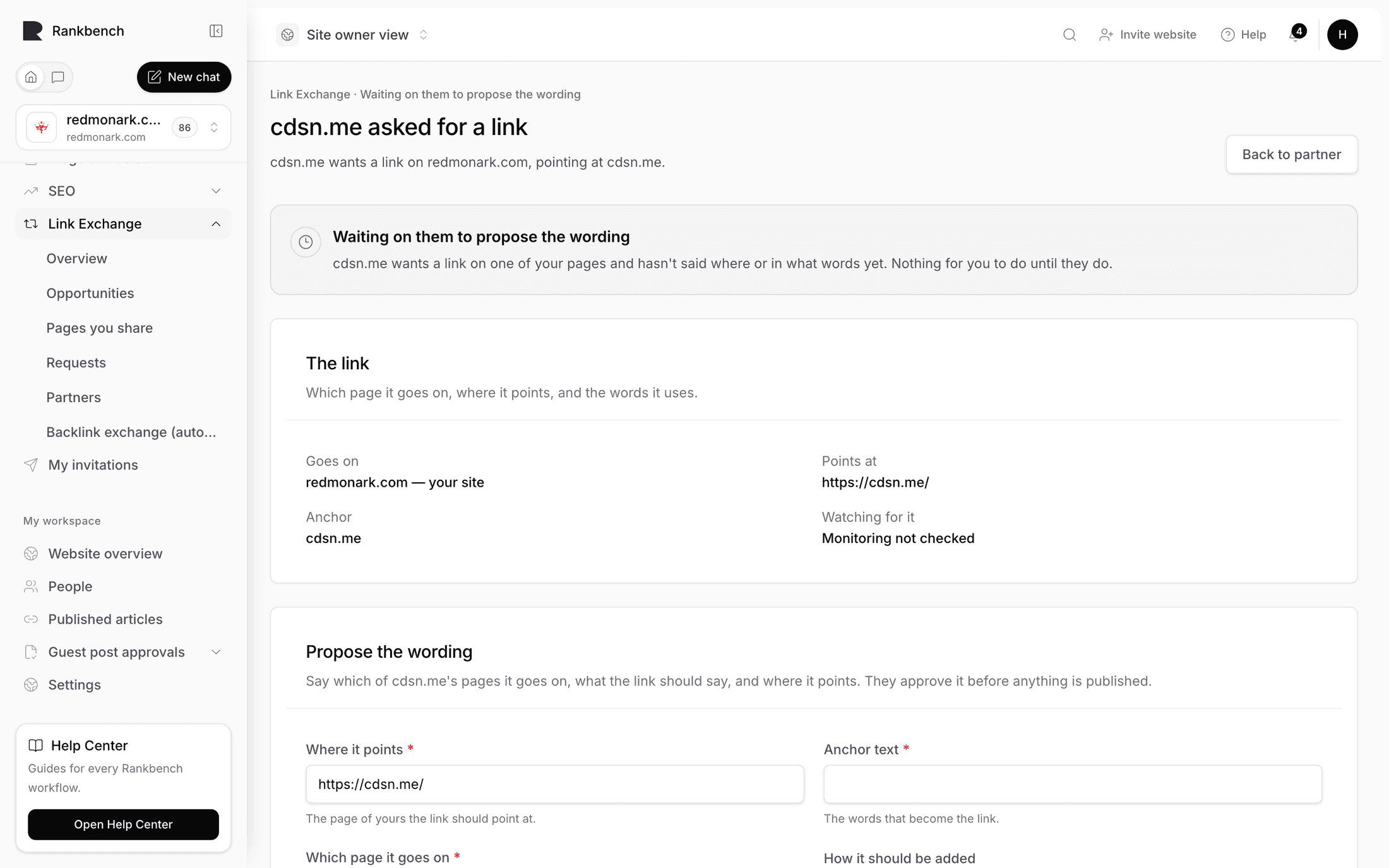
They get a notification saying a partner asked them for a link, with your anchor and the page named, and the reassurance that nothing changes until they accept.

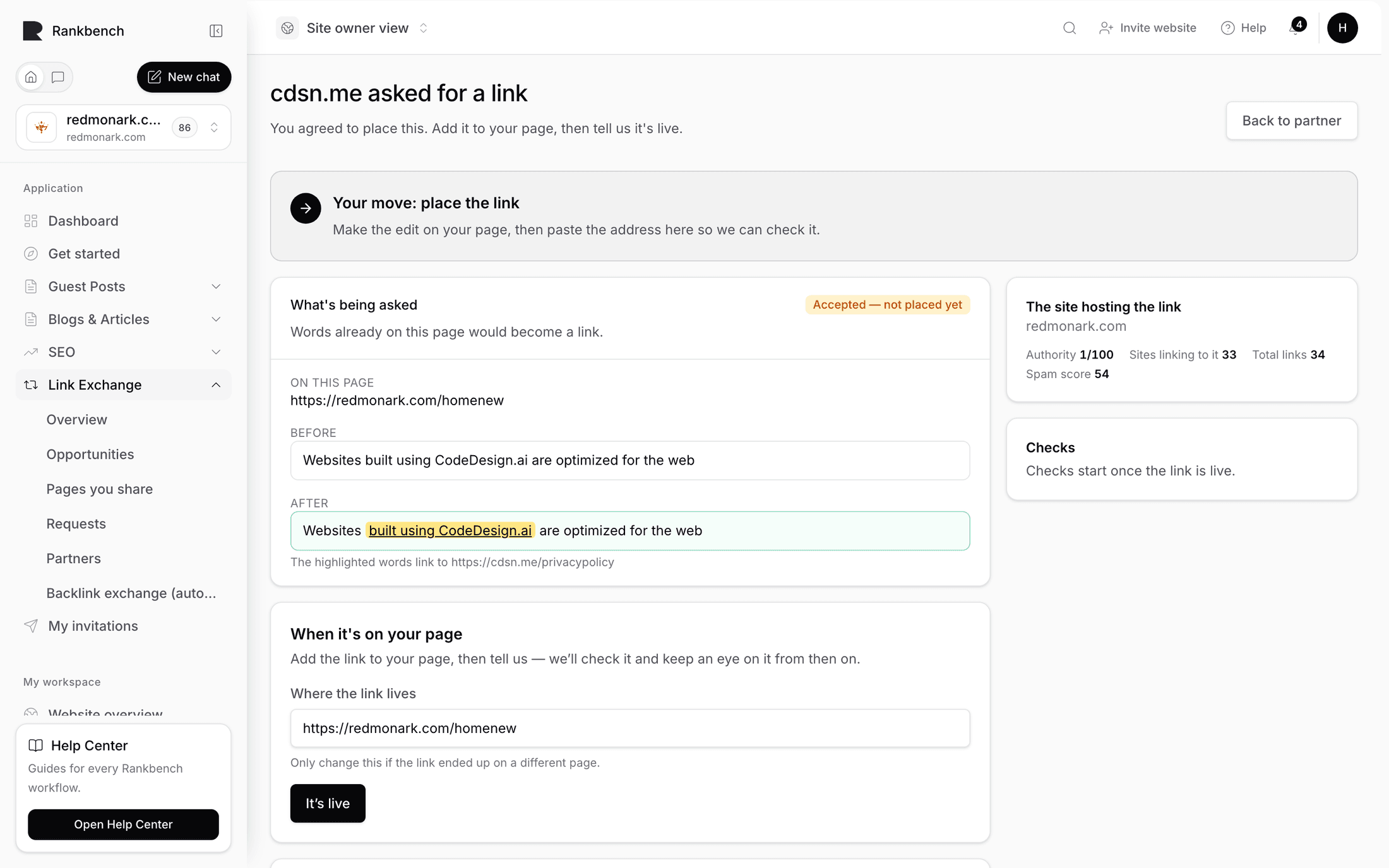
On the insertion page they see "They're waiting on your answer" and a What's being asked panel showing the page, a Before, and an After with your anchor highlighted, plus where it points and your note. Their answer panel says what accepting means: they'll add it to their page themselves, and nothing is published for them.

They press I'll add this. They could also Decline, or open Suggest different wording instead and rewrite it so it sounds like their site, which comes back to you as a small negotiation. Answering a link request covers that path, and keeping your links alive walks a wording negotiation done well.

Then they place the link on their page, by hand, in their own CMS. Rankbank never does it for them.

Back on the insertion they press It's live, correcting the URL first if the link ended up on a different page than planned.

Rankbank fetches the page and confirms the link is really there, pointing where it should. When it checks out, the status becomes verified, you get a notification telling you the page now carries your link and that checks will continue, and the host domain's figures are frozen as the went-live numbers so you can see later what the link was worth when you got it.

The ledger reads 1–0

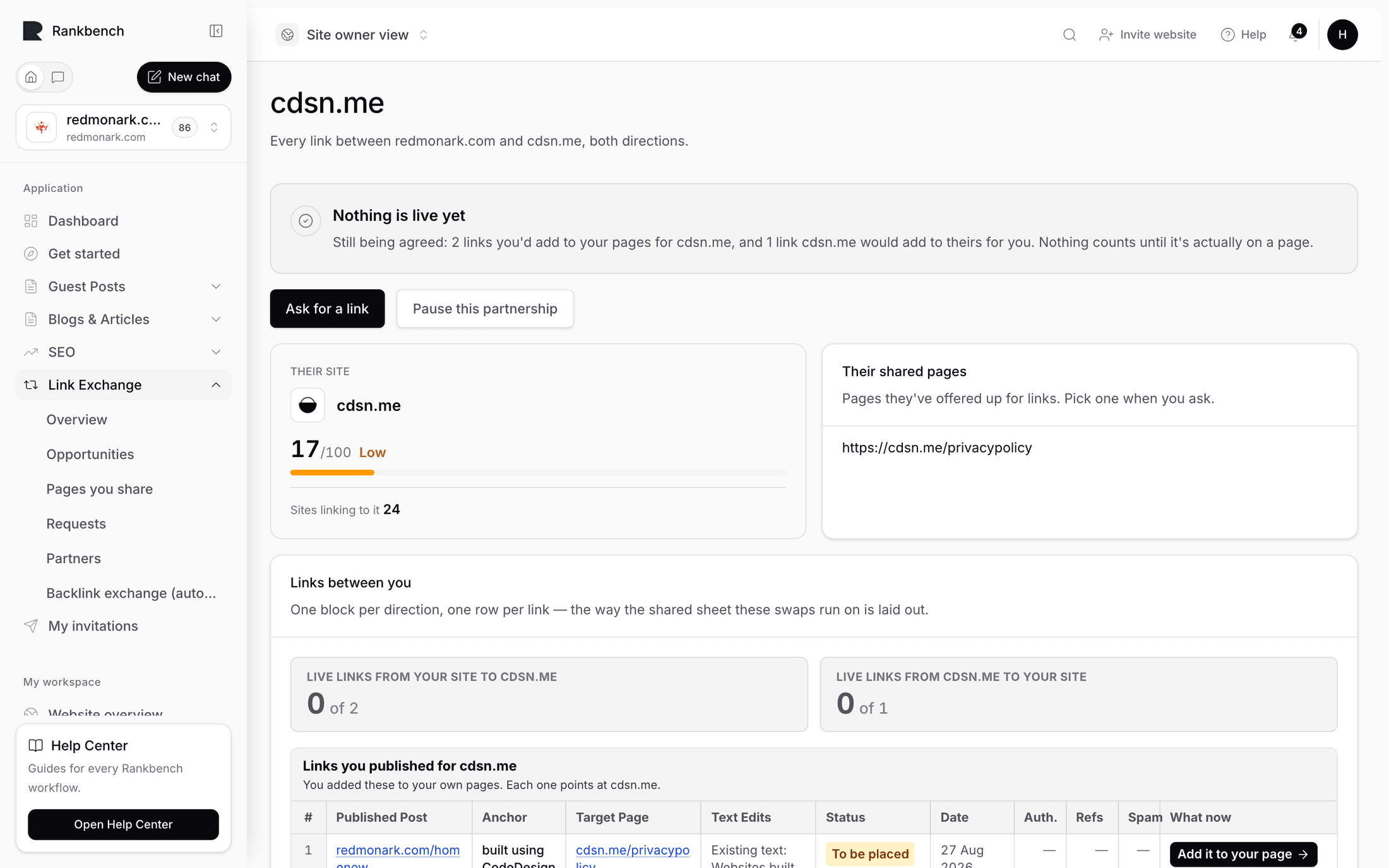
Open the partner's ledger. It shows every link between you, both directions.

The partner ledger showing one live and checked link with its direction label, anchor and authority figures
One link, live and checked. The balance line keeps the score.

Your first row reads "They placed this for us" with a Live · checked badge, the live URL, the anchor, and the authority figures from when it went live. The balance line above tells you the count in each direction.

Now make it even. A partnership where one side keeps asking and never offers dies within a month, and unbalanced ledgers are visible to both of you. Message them, or wait for their ask and answer it quickly.

When they ask you, the flow runs in reverse. You get the request, you read the Before and After, you press I'll add this, you put the link on your page, you press It's live. Rankbank checks that one too.

The ledger now reads one from you and one from them, and both are being watched. That's a working swap. The partner ledger covers the badge vocabulary and pausing a partnership.

Tip

Do not try to arrange both directions in the same conversation. Ask for one, place theirs when it comes, and let the second link follow. Trying to negotiate a matched pair up front turns a two-minute yes into a week of messages.

Where to go from here

  • Asking a partner for a link: the four steps in reference form, including the anchor rules
  • How Rankbank keeps watch: what happens after a link goes live and what you're told when it changes
  • Link swaps on Rankbank: the whole model in one page, with the overview groups explained
← Running guest posts on your site without letting quality slipKeeping your links alive, from wording changes to missing links →

Still stuck?

Open Rankbank and the page this article describes — most screens explain themselves as you go.

On this page

What you'll have by the endMeet the blockers first, deliberatelySetting up, in four movesAn inventory in two minutesChoosing a partner wellThe requestTheir chairThe ask, and the part worth slowing down forTheir chair again, then liveThe ledger reads 1–0Where to go from here
Rankbank — Editorial collaborationOpen RankbankHelp home