
Sending requests from several sites
Updated · First published
If you look after several client sites, you do not have to ask a partner one site at a time. A batch sends a request from each site you choose, and the partner gets one message for all of them.
Every site in a batch is still its own request. The partner accepts or declines each one, and each accepted site becomes its own partnership.
This needs agency view.
Starting a batch
There are two ways in.
In Find partners, click a site's name to open its details beside the list. Ask from several sites, at the bottom of that panel, opens the batch for that site.
If the partner invited you, setup ends on a step named after them, with your sites already listed.
Choosing the sites
Each of your sites is listed with its authority and whether it can be sent. A site that can is Eligible and ticked. A site that cannot says why, with a link to fix it:
- Needs its rules first.
- Needs a shared page first.
- Needs verifying first, or Waiting for its owner to confirm while an owner's email is out.
- Doesn't meet their rules, with the rule it misses, such as their minimum authority.
- Authority pending, while a site's authority has not been measured yet.
A site that is not ready stays on your list. Fix it and send it later.
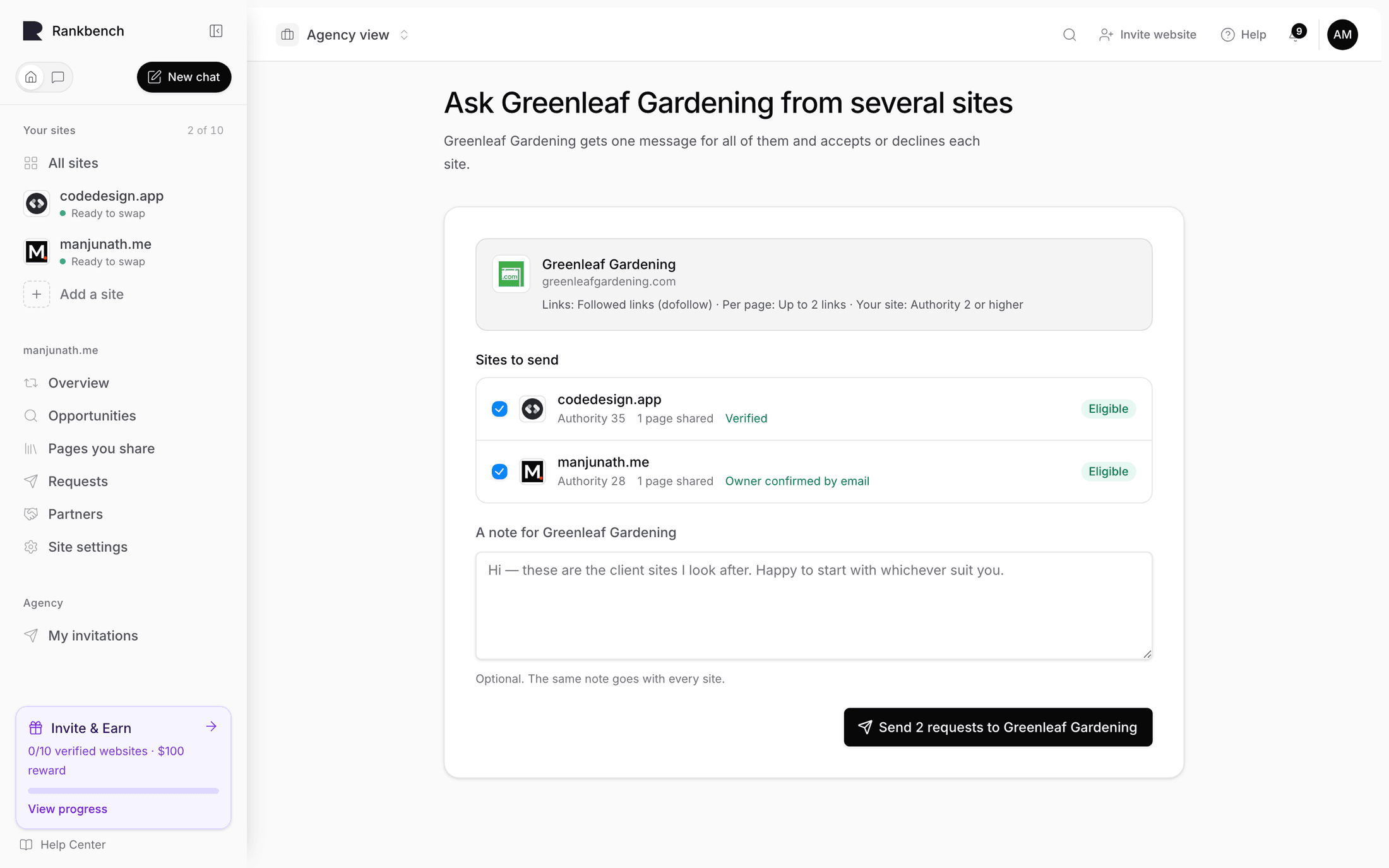
The note
A note for the partner is optional. The same note goes with every site, so write it about the set: who you are, and which of your sites you think suit them best.
Sending
Send sends one request per ticked site. Each request carries that site's own rules and pages, exactly as if you had sent it on its own.
Afterwards you see how many went and, for any that could not, the reason. The partner gets one notification for the whole batch, not one per site.
Following it up
Requests you sent on Your sites lists each batch with how it stands, such as "2 accepted · 1 waiting". <!-- example --> Opening one shows every site and the partner's answer for each.
When the partner has answered them all, you are told, with how many they accepted.
When you receive a batch
On the other side, a batch arrives as one request in Exchange requests, headed with who sent it and how many sites, such as "Alan Morgan asked to exchange backlinks from 3 sites". <!-- example --> The sender's name and email are there, and a line saying they manage these sites for their owners.
Each site has its own row: its authority, how its ownership was proven and its pages. A site confirmed by its owner's email says Owner confirmed by email.
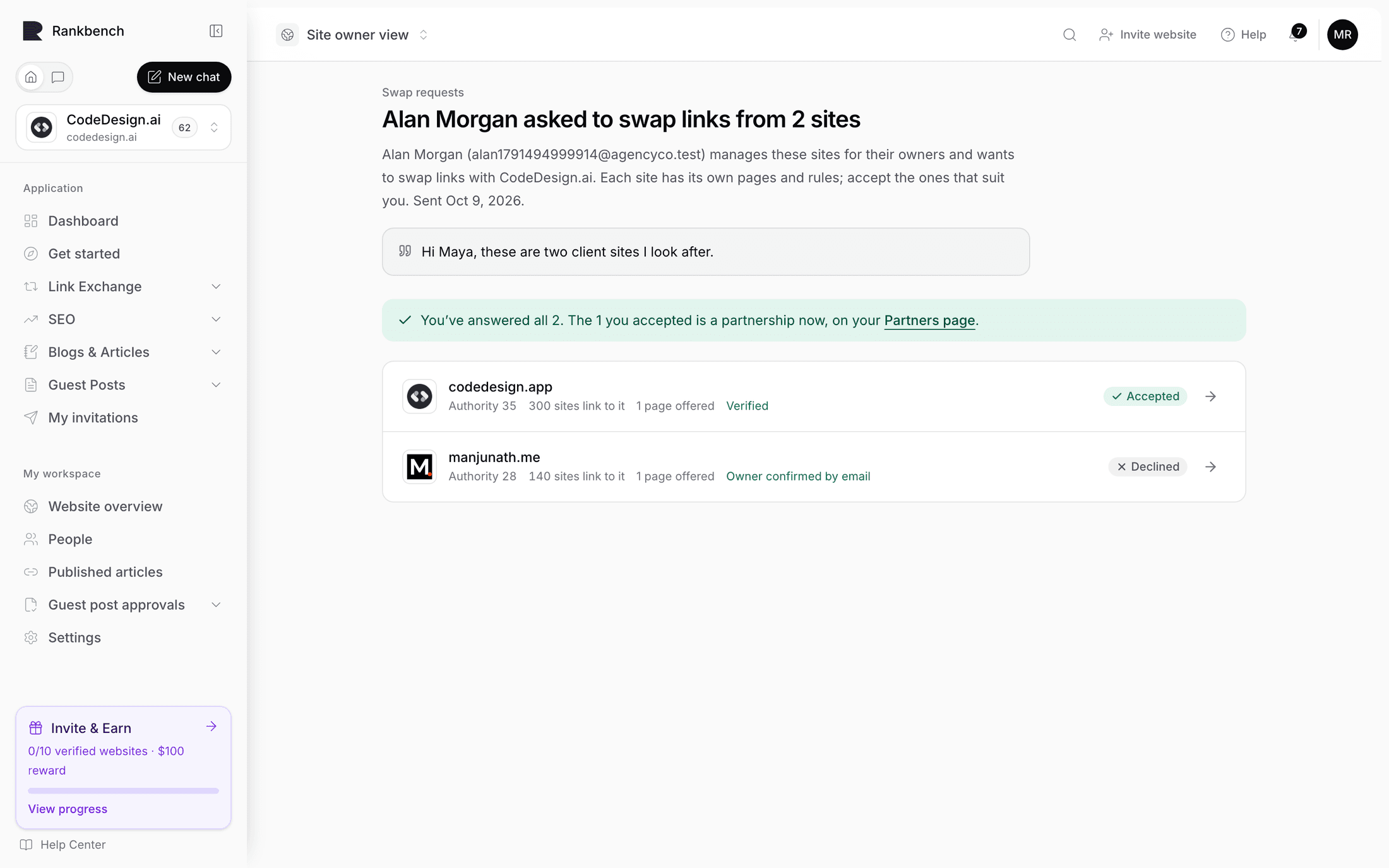
Accept and Decline answer one site. Accept all and Decline all answer every site at once, and once you have answered some they read Accept the rest and Decline the rest. <!-- example --> Each accepted site becomes a partnership, ready for its first link, exactly as a single request would. Details opens one site's full request if you want to read its rules and pages before deciding.
Where to go next
Reviewing an exchange request covers a single request in depth. Asking for a link is the step after a partnership starts.
Still stuck?
Open Rankbench and the page this article describes — most screens explain themselves as you go.