Every problem type, explained
Updated August 24, 2026
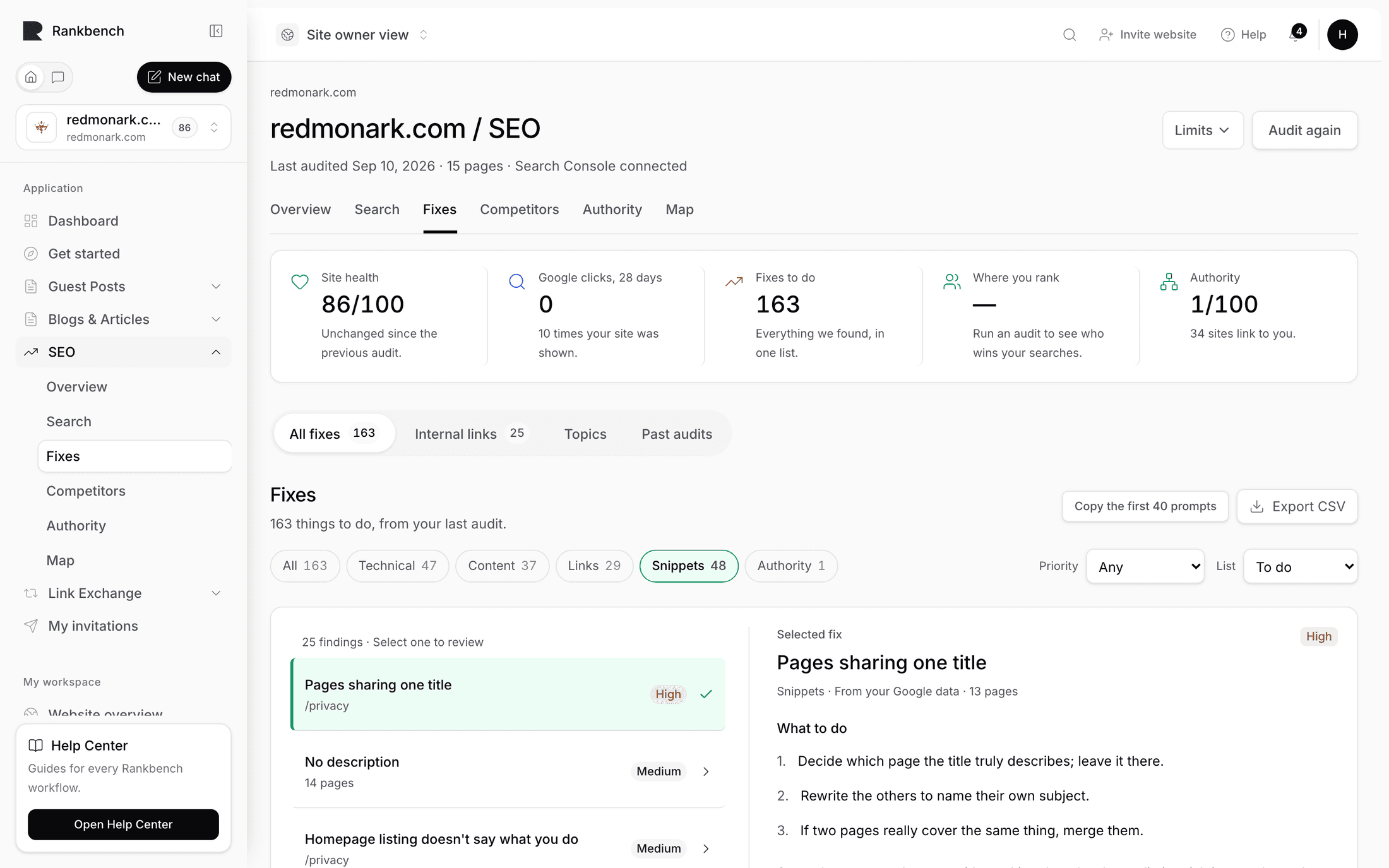
Rankbank reports 23 kinds of structural problem. Each one is something it saw in your HTML while reading the site, so none of them need Search Console connected and all of them appear as soon as a read finishes.
This page is the full reference. Every row uses the exact title, meaning and fix action the product shows you on the Problems to fix page, so you can look one up here and recognise it there.

The thresholds
Three numbers decide whether some of these fire, and they're the ones people ask about.
- "Buried too deep" is 4 or more clicks from your homepage. Depth 0 is the homepage itself.
- "Very little text" is under 250 words.
- "Almost nothing links to it" is 1 incoming internal link or fewer.
Links
Three problems about links that don't arrive cleanly. These are the cheapest fixes on any site, because you own both ends.
| What Rankbank calls it | What it means | Fix |
|---|---|---|
| A link on your site leads to a dead page | Anyone who clicks it hits an error page, and Google follows the same dead end. | Fix the link or remove it. |
| A link takes a detour before reaching its page | The link works, but it bounces through a redirect first, slower for visitors, weaker for Google. | Point the link straight at the final page. |
| A link hops through several redirects | Each hop slows the visitor down and leaks a little ranking value. | Point the link straight at the final page. |
A redirect chain is the same problem as a single detour, one degree worse. Both are usually the residue of a site restructure: you moved a section, added redirects, and never updated the links pointing at the old addresses. Nothing appears broken, which is exactly why nobody fixes it.
Titles and descriptions
Four problems about how your pages name themselves. The title is the single strongest on-page signal Google has about what a page covers, and it's also the headline of your listing in the results, so it's doing two jobs at once.
| What Rankbank calls it | What it means | Fix |
|---|---|---|
| A page has no title | The title is the headline Google shows in results. Without one, this page is invisible in search. | Write a title for this page. |
| A page has no description | Google shows this text under the title in results. Without it, Google improvises, usually badly. | Write one or two sentences describing the page. |
| Pages share the same title | Google can't tell these pages apart, so they compete with each other in search results. | Give each page its own title. |
| Pages share the same description | Identical descriptions make different pages look like copies of each other to Google. | Write a distinct description for each page. |
Duplicate titles are the sleeper of this group. A site that titles every page with the company name has not made twelve pages, it has made twelve pages Google reads as one, and they split whatever ranking they might have earned. There's a matching finding, Titles that only say your company name, that prices what fixing it is worth.
Content
One problem about pages with nothing on them.
| What Rankbank calls it | What it means | Fix |
|---|---|---|
| A page with very little text | Pages this light rarely rank, Google has almost nothing to judge them on. | Add real content, or merge this page into a related one. |
Under 250 words is the trigger. That's low on purpose, because plenty of legitimate pages are short. A contact page, a thank-you page, a pricing table: these are thin by nature and should be ignored rather than padded. Use Ignore with a reason on those, and spend the effort on pages that were supposed to rank and don't have enough on them to try.
Structure and internal linking
Six problems about how pages sit in your site. Internal links are the one ranking lever you fully control, so this group tends to have the best effort-to-payoff ratio on the whole page.
| What Rankbank calls it | What it means | Fix |
|---|---|---|
| A page buried too deep | It takes too many clicks to reach from your homepage, so visitors and Google rarely get there. | Link to it from a page closer to your homepage. |
| A page nothing links to | No other page on your site points here, visitors can't stumble on it and Google may not know it exists. | Add a link to it from a related page. |
| A page almost nothing links to | With so few internal links pointing here, this page gets less traffic and less ranking weight than it should. | Link to it from a couple of related pages. |
| A page with weak internal links | The few links it gets come from pages that carry little weight themselves. | Link to it from your stronger pages. |
| A page only reachable from menus | Links inside real content count for more than menu links, and this page only has the menu kind. | Mention and link it in the text of a related page. |
| A page only linked from the footer | Footer links are the weakest kind, and this page has nothing else pointing at it. | Link to it from the body of a related page. |
The last two are about link placement, which is why Rankbank records where on the page each link sat. Google discounts anything repeated on every page of a site as boilerplate, so a page that only appears in your nav or your footer is, as far as ranking signals go, barely linked at all. One mention in the body of a related page changes that.
"A page nothing links to" also has a louder twin among the findings: when a page nothing links to is already earning search traffic, that becomes Earning traffic, linked from nowhere, which is the sharpest thing this product can tell you. See the finding catalog.
Headings
Two problems about the main heading on a page.
| What Rankbank calls it | What it means | Fix |
|---|---|---|
| A page has no main heading | The main heading tells readers and Google what the page is about at a glance. | Add one clear main heading (H1) to the page. |
| A page with several main headings | More than one H1 muddles what the page is about, one page, one main heading. | Keep one H1 and demote the rest to subheadings. |
Both usually come from a template rather than from any individual page, which makes them cheap in bulk. If 40 pages have no H1, one template change fixes 40 problems. That's also why this family often takes the biggest bite out of your health score, and why fixing it moves the number the most.
Canonicals
Three problems about the canonical tag. A canonical tag is a line in a page's HTML that says "this is the real address for this content", and it exists so a site with the same page reachable at several addresses can tell Google which one counts.
| What Rankbank calls it | What it means | Fix |
|---|---|---|
| A page without a canonical tag | The canonical tag tells Google which version of a page is the real one. | Add a canonical tag pointing at the page itself. |
| A page that credits another page | Its canonical tag points at a different page, so Google ranks that one instead of this. | Point the canonical at this page, unless that's intentional. |
| A page that credits another website | Its canonical tag points off your site, handing your ranking credit to someone else. | Point the canonical back at your own page. |
Warning
A misdirected canonical is the quietest way to lose a page. The page loads normally, looks perfect to a visitor, and simply stops ranking, because it has told Google to rank something else instead. If a page you care about has vanished from search with no obvious cause, check this first.
"Unless that's intentional" in the second row is doing real work. Pointing one page's canonical at another is the correct thing to do for genuine duplicates: a print version, a paginated variant, the same product under two categories. Ignore those rather than changing them.
Indexing
Two problems about pages Google is being told to skip, or can't load at all.
| What Rankbank calls it | What it means | Fix |
|---|---|---|
| A hidden page your site links to | The page is marked "don't index", yet other pages link to it, and those links' value goes nowhere. | Either let the page be indexed or stop linking to it. |
| A page that won't load | The page itself returned an error when we tried to read it. | Fix the page or remove the links pointing at it. |
The first one is a mixed signal rather than a disaster: you're pointing your own links at something you've told Google to ignore, so whatever strength those links carry drains away. Decide which you meant and make the page consistent with it.
Housekeeping
Two problems that don't fit anywhere else and are usually quick.
| What Rankbank calls it | What it means | Fix |
|---|---|---|
| A page linking to everything | With this many outgoing links, each one carries almost no weight. | Trim the links to the ones that matter. |
| Your sitemap has a problem | Search engines use the sitemap as your site's table of contents, and a broken one slows down indexing. | Fix the sitemap file so it loads and parses. |
A page divides its strength among the pages it links to, so a page linking to hundreds passes each of them almost nothing. Readers fare no better. The usual culprit is an archive or tag page listing everything on the site.
A broken sitemap matters most exactly when you're publishing, because it's how new pages get discovered quickly. If the sitemap has been broken for a while and you haven't noticed, that's because Google eventually finds pages by following links anyway. It just takes longer.
Working through them
Priority ordering on the Problems page already sorts by what's likely costing you most, so working top to bottom is a defensible strategy. If you'd rather work by leverage, sort by family size instead: the Worth fixing first panel on your Overview groups problems as "{n} × {title}", and the family with the biggest count is usually one template change away from being gone.
Whichever way you go, mark I fixed this as you finish, then read the site again. A problem only leaves the list when Rankbank re-reads the page and finds it gone. See how Rankbank reads your site.
Still stuck?
Open Rankbank and the page this article describes — most screens explain themselves as you go.