
Rankbench Pro and billing
Updated · First published
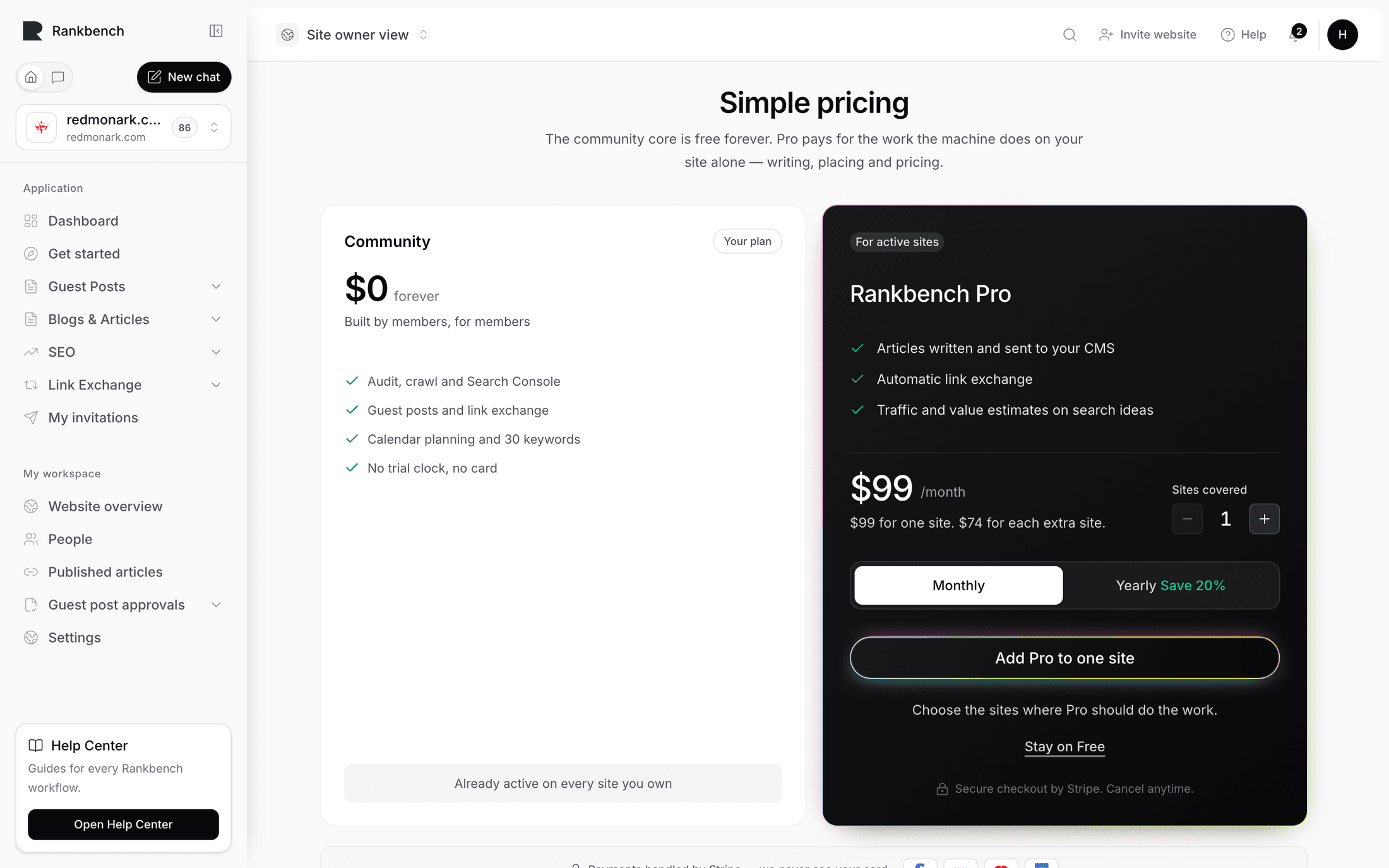
Rankbench is a community project first. The core, which is everything members do for each other, is free with no trial clock. Pro pays for the work the machine does on your site alone: writing articles, placing links, and putting money values on search opportunities.
The pricing page states the split in one line: "The community core is free forever. Pro pays for the work the machine does on your site alone — writing, placing and pricing."
What is free forever
- The site audit and crawl, and everything it produces
- Your Search Console data, in full
- Guest posting, from submitting through review to publishing
- The backlink exchange directory, requests and partnerships
- Link monitoring, so you are told when a link you earned goes missing
- Site verification
- Content calendar planning, including your first 30 keywords
No card, no clock. The Community card on the pricing page says as much: "No card, no end date".
What Pro adds
Three things, per site.
Articles written and sent to your CMS. The calendar plans for free. Pro is what writes each article on its scheduled day and sends it where you publish. See the content calendar.
Automatic backlinks. Links placed inside the articles your calendar was writing anyway, verified when they go live, settled in credits. The manual exchange stays free. See Automatic backlinks.
Traffic and value estimates on search ideas. Search volume, cost per click and a money value on suggestions, so you can sort work by what it is worth. The suggestions themselves stay free.
Keywords also change: Community includes your first 30, Pro refills them as the calendar uses them up.
How pricing works
Pro is priced per site. The pricing page shows the live figures and a total for any number of sites, with monthly and yearly options. At the time of writing it is $99 a month for your first site and $74 for each site after it, and paying yearly takes 20% off both.
A subscription carries site slots. One slot covers one site at a time, and you choose which of your workspaces each slot covers. Moving a slot between sites is free and immediate, and never changes what you pay.
Checkout is handled by Stripe. The page is explicit about it: "Payments handled by Stripe — we never see your card."
Managing your subscription
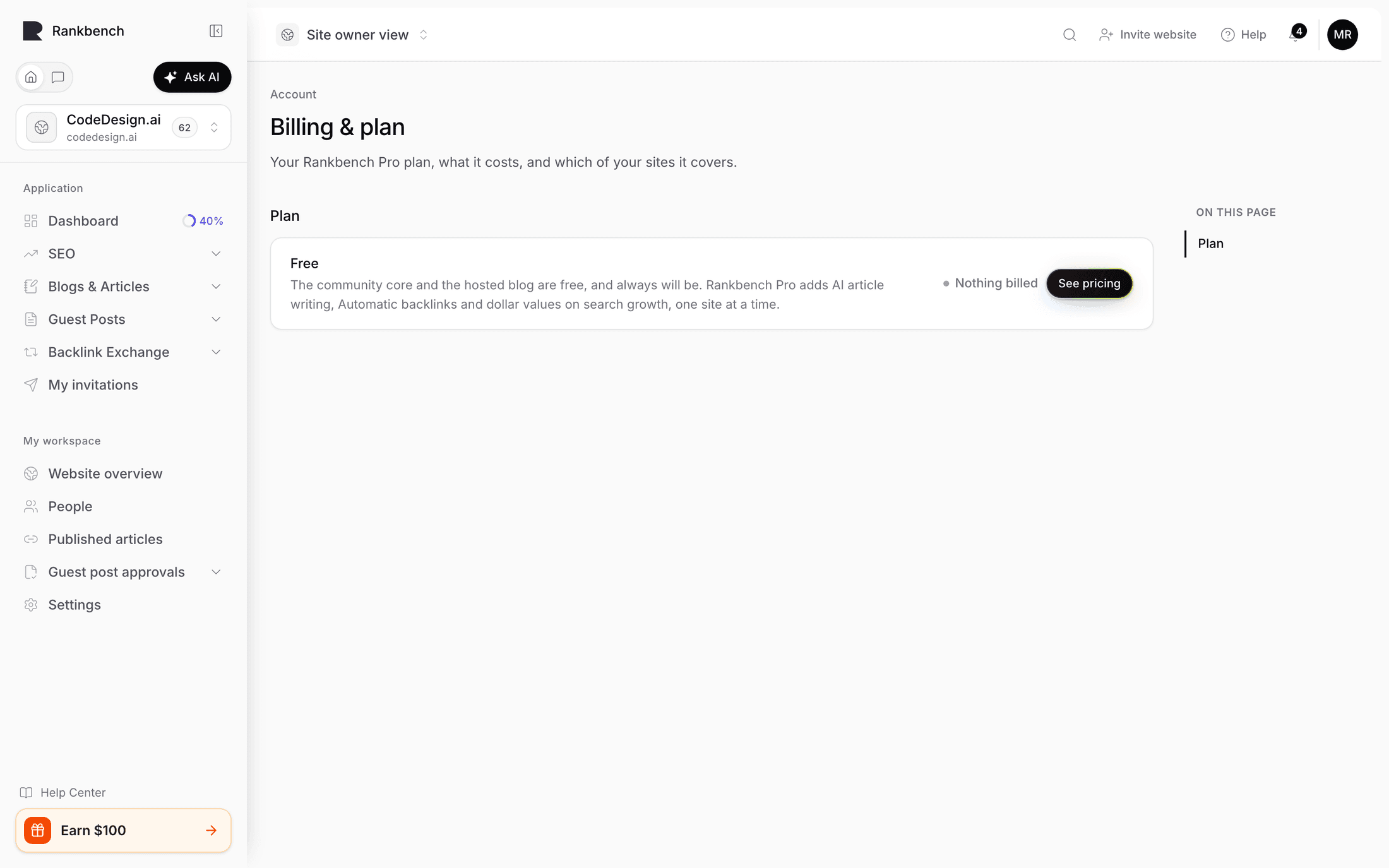
Everything lives on Billing & plan, in the menu under your name, described as "Your Rankbench Pro plan, what it costs, and which of your sites it covers."
Before you subscribe, Plan has one row, Free, marked Nothing billed. It explains the position rather than selling at you: the community core and the hosted blog are free for good, and Pro adds article writing, Automatic backlinks and money values on your search ideas, one site at a time. See pricing is beside it.
Once you have a subscription, Plan shows it: billed monthly or yearly, your Site slots, and when it renews. Sites covered lists your workspaces and which are covered, with how many slots are in use. Cover this site assigns a free slot; Uncover releases one, and the workspace keeps every free feature. When every slot is in use, the page says so and Add slots opens Stripe to buy more.
Manage billing, under Card, invoices and cancelling, opens Stripe's portal, where you update your card, see every invoice, change how many slots you pay for, or cancel.
Where you meet the upgrade
You will run into Pro in three places, and each offers the same choice.
On the content calendar, where the panel reads "Your plan is ready. Rankbench Pro writes it." If you already have an unused slot, the same panel offers to assign it to this site instead of selling you another.
On Automatic backlinks, which says plainly that it is part of Pro while the manual exchange stays free.
At the end of a read, where the offer sits beside Keep my plan free.
Cancelling
If you cancel, nothing about the community is taken away. Your sites, partnerships, articles, audits and data stay exactly where they are. The paid features stop at the end of the period you paid for, and the calendar goes back to planning without writing.
Where to go next
To see what Pro actually does day to day, read the content calendar and Automatic backlinks.
Still stuck?
Open Rankbench and the page this article describes — most screens explain themselves as you go.