Keeping your links alive, from wording changes to missing links
Updated August 24, 2026 · 12 min read
Getting a link is the part people plan for. Keeping it is the part that decides whether any of it was worth doing.
Links rot quietly. A site redesigns and the sentence your link lived in gets rewritten. Somebody consolidates two articles and yours is in the one that got deleted. An editor tidies the anchor text to fit the house style and now your link says "read more". None of that generates a phone call. Six months later you're wondering why a page stopped ranking.
This walkthrough is the second half of the job. You'll read the ledger the way an operator reads it, handle a wording negotiation without giving away the point of the link, run a publisher-mediated placement end to end, and deal with a link that goes missing. If you haven't done a swap yet, start with your first link swap and come back.
What you'll have by the end
- A ledger you can read at a glance, badge by badge, and know who owes whom what
- One wording negotiation settled in a way that keeps both sides happy
- A link placed on a page you can't edit, confirmed by its publisher without an account
- A missing link diagnosed from its Checks panel and recovered, with the conversation to match
Reading the ledger like a dashboard
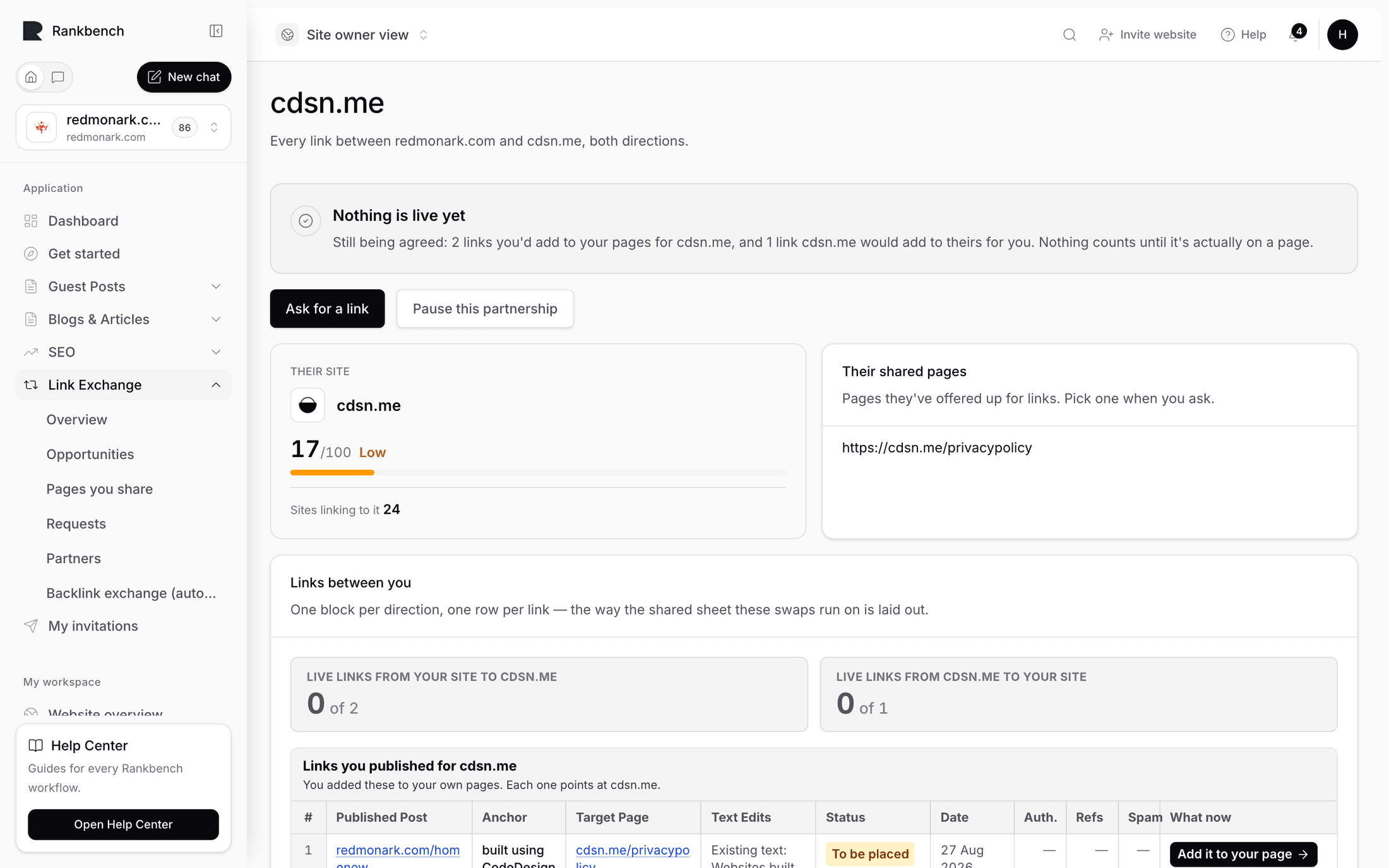
Open a partner from Partners and press Open ledger. Everything between the two of you is here, in both directions, with a balance line at the top counting what each side has placed.

Each row says whether you placed it for them or they placed it for you, then carries a badge. The badges are the vocabulary worth learning, because after a while you stop reading rows and start reading colours.
Live · checked with a date means it was there at the last check. This is the state you want, and the date tells you how recently anyone looked.
Live · checking means the link has been reported live and the first check hasn't finished. It resolves within the hour.
Agreed — not placed yet means your partner said yes and hasn't done it. This is the most common stall in link building, and it's usually not malice. It's a task on somebody's list. Two of these sitting for a fortnight is a nudge, not a grievance.
Wording being agreed means somebody suggested different words and the other side hasn't answered. If that's you, answer today. Wording negotiations go stale faster than anything else here.
Waiting for an answer means the ask is sitting with them, untouched.
Link missing means the check ran and the link wasn't on the page. That's the one to open immediately, and most of this walkthrough is about it.
Declined and Withdrawn are closed. They're kept because a ledger with holes in it is a ledger nobody trusts.
Read the whole thing in ten seconds: how many live, how many stalled, how many broken, and whether the balance line is anywhere near even. The partner ledger covers the panels alongside it.
A wording negotiation, done well
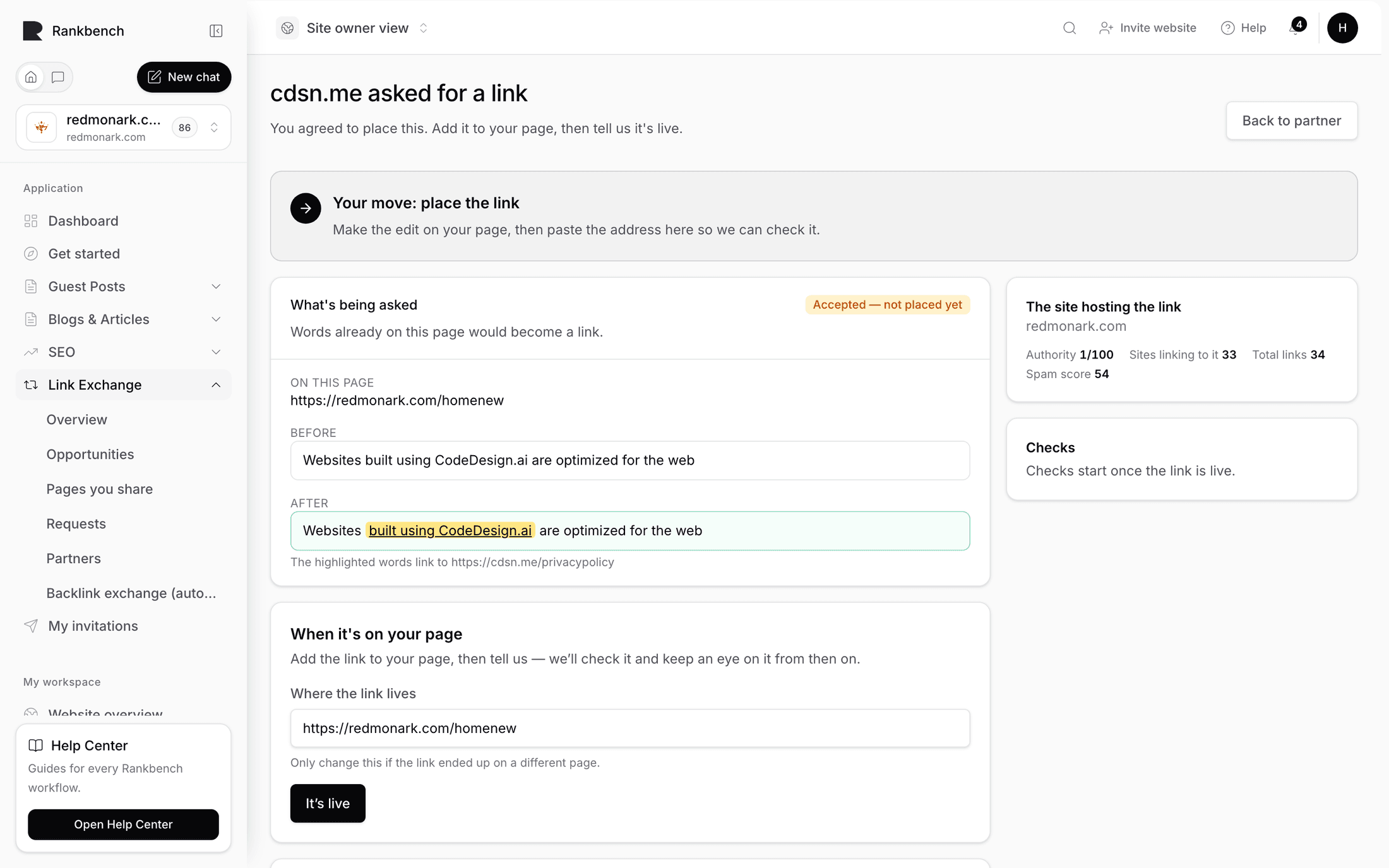
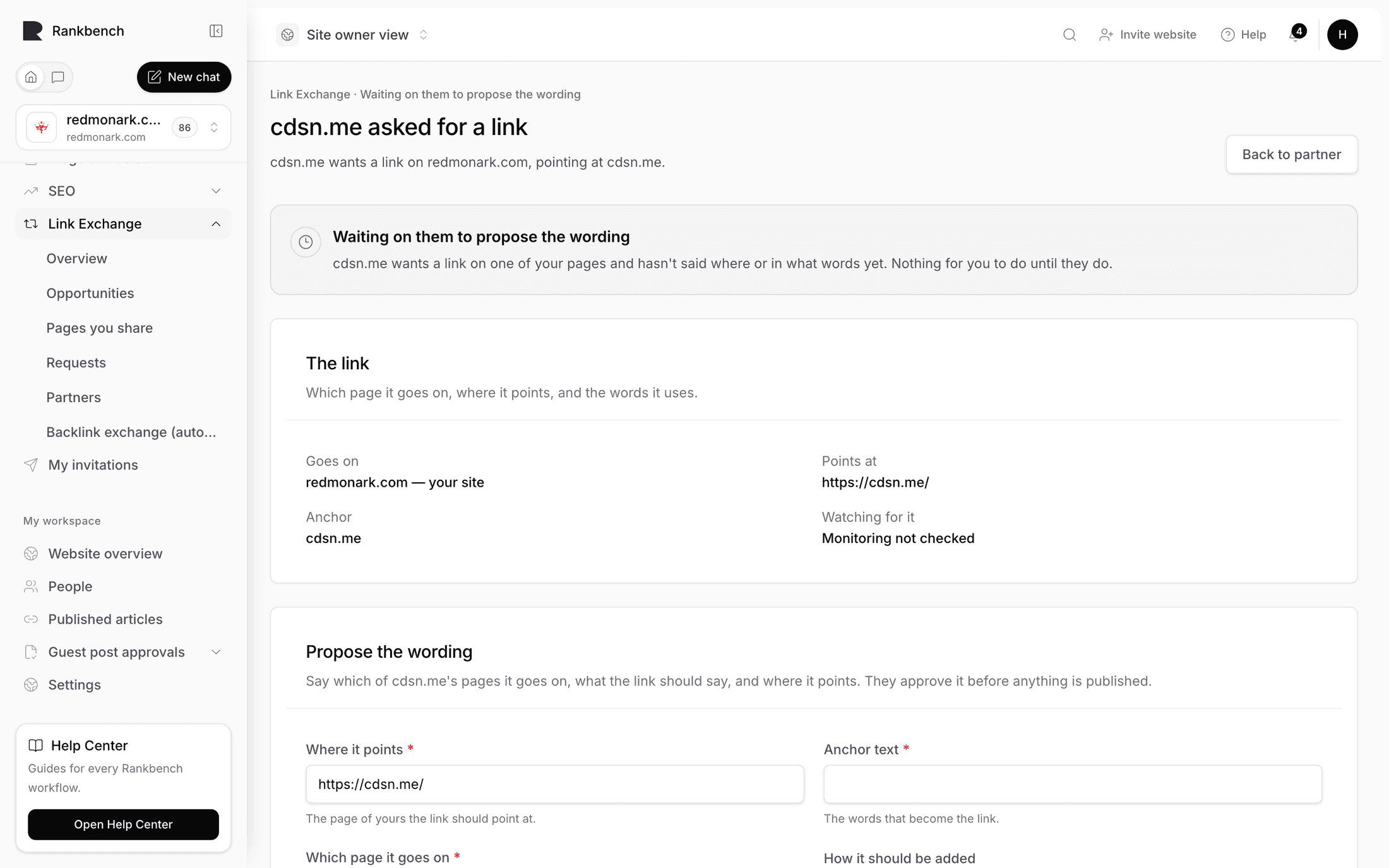
You asked for a link with the anchor "spend controls for finance teams". A notification arrives saying a partner suggested different wording, and the insertion page tells you plainly: they suggested different wording, accept it or send your own.

The Before and After blocks show their version with your link in place, so you're comparing two real sentences rather than two abstractions. Their reason, if they gave one, is underneath.
Now judge it on one question: does their wording still say what the page on the other end is about?
Accept when they've made it sound like their site. "Controlling spend across teams" instead of "spend controls for finance teams" is a native-sounding rewrite that keeps every useful signal. Editors do this because your phrasing reads like an advert dropped into their prose, and they're right. Press That works — go ahead and let them place it.
Accept when they've shortened it. Short anchors sit better in a sentence and lose nothing.
Push back when the meaning is gone. If the anchor becomes "this guide" or "here", the link no longer tells a reader or a search engine anything about the destination. Open Send my own wording back and offer a third option that solves their problem rather than restating yours. If they wanted it shorter, go shorter and keep the noun. "Spend controls" is two words and still means something.
Push back when the link moved to a paragraph it doesn't belong in. Say so, and suggest the sentence you'd prefer.
Keep the note short and reasonable. You're asking somebody to edit their own page for your benefit, and the tone that works is the tone you'd use asking a colleague for a favour. If the third round still isn't right, take the version that's closest. A slightly weak anchor on a good page beats a perfect anchor that never got placed.
From their side, the same negotiation looks like a form headed with an instruction to rewrite it so it sounds like their site, with the promise that you'll confirm before they place anything. That's why it's a conversation and not a demand. Answering a link request is the host's half.
Note
While wording is being agreed, nothing is on anyone's page. The link only exists as a proposal until somebody accepts and places it. You can withdraw the whole request at any point up to that.
When the page belongs to somebody else
Some of the best pages in a partner's inventory are ones they wrote and somebody else published. A guest post, a piece in an industry newsletter, an article on a trade site. Your partner can't edit those pages, but they can ask.
This shows up on the insertion page as a panel headed "Is this page published somewhere you can't edit?", with an explanation of what it does: send the publisher a link that shows them exactly what changes and takes one click to answer, with no account needed.

Press Create a link for the publisher. A URL is generated and shown. Then copy it and send it yourself, however you normally talk to that publisher. Rankbank emails nobody, here or anywhere else in the product.
The publisher opens it and sees a page headed "A link request for a page you publish", with the whole ask laid out: the page, the sentence to add or the words that become a link, where it points, and any note.

There's a field asking where the link ended up, to be changed only if they put it somewhere else, and then two choices: I've added this link, or the plain link reading I can't make this change. Either outcome comes straight back into the insertion, so nobody has to chase for an answer.
Two practical notes. Issuing the link moves the insertion into waiting on the publisher, which is exactly what the status should say while a third party holds it. And the link expires in about two weeks. That's deliberate, since a confirmation link that works forever is a confirmation link that gets forwarded and clicked by the wrong person a year later. If it expires, press Make a new link and send the fresh one.
Expect publisher-mediated placements to take longer than a page your partner runs themselves. The insertion says so up front. Build that into your expectations rather than reading slowness as a refusal. When the page is published somewhere you can't edit covers every outcome.
What monitoring actually does
Once a link is live, Rankbank fetches the page and confirms the link is really there, pointing where it should. Then it keeps doing it, on a rhythm: healthy links get re-checked regularly, and a link with a problem gets checked far more often, because a problem is either about to resolve or about to become permanent.
Only changes notify you. A link that has been fine for four months generates nothing, which is why the bell isn't full of good news. And a single failed page load doesn't raise the alarm, because sites have bad minutes. It gets another go before anyone is told.
Every insertion carries a Checks panel with the last check and its summary.

The findings are written in plain English, and each one means something different about what to do next.
The link is on the page, pointing where it should. Nothing to do.
We can't find your link on that page any more. It was removed, or the section it lived in was rewritten.
The link is there, but the words changed. Somebody edited the anchor. The link still passes value; it just says something different now.
The link now points somewhere else. Often a redirect they set up, sometimes a mistake during a migration.
The page didn't load when we checked. Could be temporary. This is the one that gets a second chance before it alarms you.
The page is no longer indexable by Google, so the link passes nothing on. The link is still visibly there, which makes this the sneakiest failure of the set. Somebody set the page to noindex and nothing looks wrong to a human.
The page now redirects somewhere else. Worth checking where it lands.
How Rankbank keeps watch is the reference.
The day a link goes missing
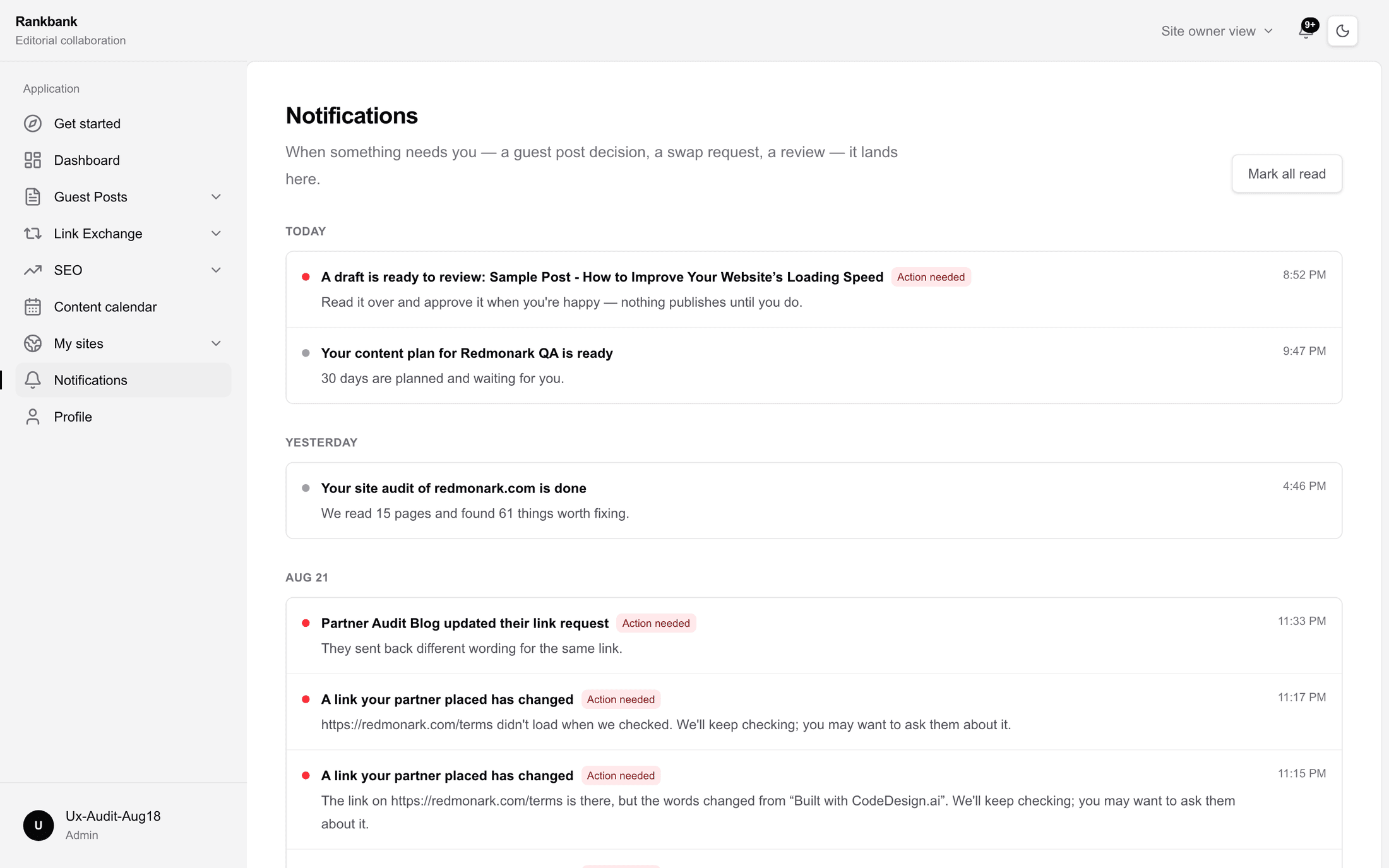
A notification arrives: a link your partner placed has changed, with the summary and a note that checks will continue and you may want to ask them about it. The ledger row flips to Link missing.

Do these four things, in order.
Open the insertion and read the Checks panel. Removed, changed anchor, changed destination, and noindexed are four different conversations, and starting the wrong one wastes everybody's time.
Open the live URL yourself. Twice I've seen a "missing" link that was actually behind a consent wall or a bot block, which is worth knowing before you write to anyone.
Then message your partner, and lead with the fact rather than the accusation. "The link on your workflows guide isn't showing any more, I think it may have gone in the rewrite last week, is it easy to put back?" gets a fix. "You removed our link" gets a defensive reply and a slower fix.
Then wait for the check. When they put it back, the next check finds it and the badge returns to live and checked, with no action needed from you. On older swaps, made before partnerships existed, the same recovery shows up in that flow's own vocabulary as Placement restored. Same idea, older screens.
If they can't restore it, that's a real answer too. Ask for a different page instead. Partners are for the long run, and one link that didn't survive a redesign is not a reason to end a working relationship.
Warning
Resist the urge to re-ask for the same link the same day it disappears. Give the check a cycle and give your partner a reply. Duplicate insertions for the same link make your ledger unreadable and make you look like you aren't paying attention.
Why the frozen numbers exist
On every insertion, the right column shows the site hosting the link with its live metrics, and underneath, a frozen record: the authority, the number of sites linking to it, and the spam score at the moment the link went live.

Those numbers never change, and they answer questions you can't answer any other way.
Was this link worth having when you got it? A site at 44 that has since fallen to 31 was a good trade at the time, and comparing today's number to today's number would tell you the opposite.
Is a partner improving or sliding? Ten links whose went-live figures are consistently below their current numbers means you got in early on a site that's grown, which is the outcome you're aiming for.
And is a partnership still what you agreed to? If their spam score at placement was 4 and it's 38 now, that's a conversation, and possibly a reason to stop.
Pausing without burning it
Sometimes you need to stop. You're mid-migration, or you've hit your capacity for placements this quarter, or a partner is asking weekly and you need a breather.
Open the ledger and press Pause this partnership. The banner then explains exactly what pausing does: neither side can ask for new links, and existing links are still watched.

That's the important half. Pausing doesn't abandon the links you already have, and it doesn't end the relationship. Resume is one button, and the ask builder tells anyone who tries in the meantime that the partnership is paused and new link requests are on hold.
Pausing beats going quiet. A partner whose asks you stop answering assumes you've lost interest and stops offering. A partner who sees Paused knows there's a reason and comes back.
Where to go from here
- How Rankbank keeps watch: the checking rhythm and every monitoring finding in full
- The partner ledger: the badge vocabulary, the balance line, and a note on older swaps
- When the page is published somewhere you can't edit: the publisher flow end to end
Still stuck?
Open Rankbank and the page this article describes — most screens explain themselves as you go.