
How to get answers from the assistant
Updated · First published · 2 min read
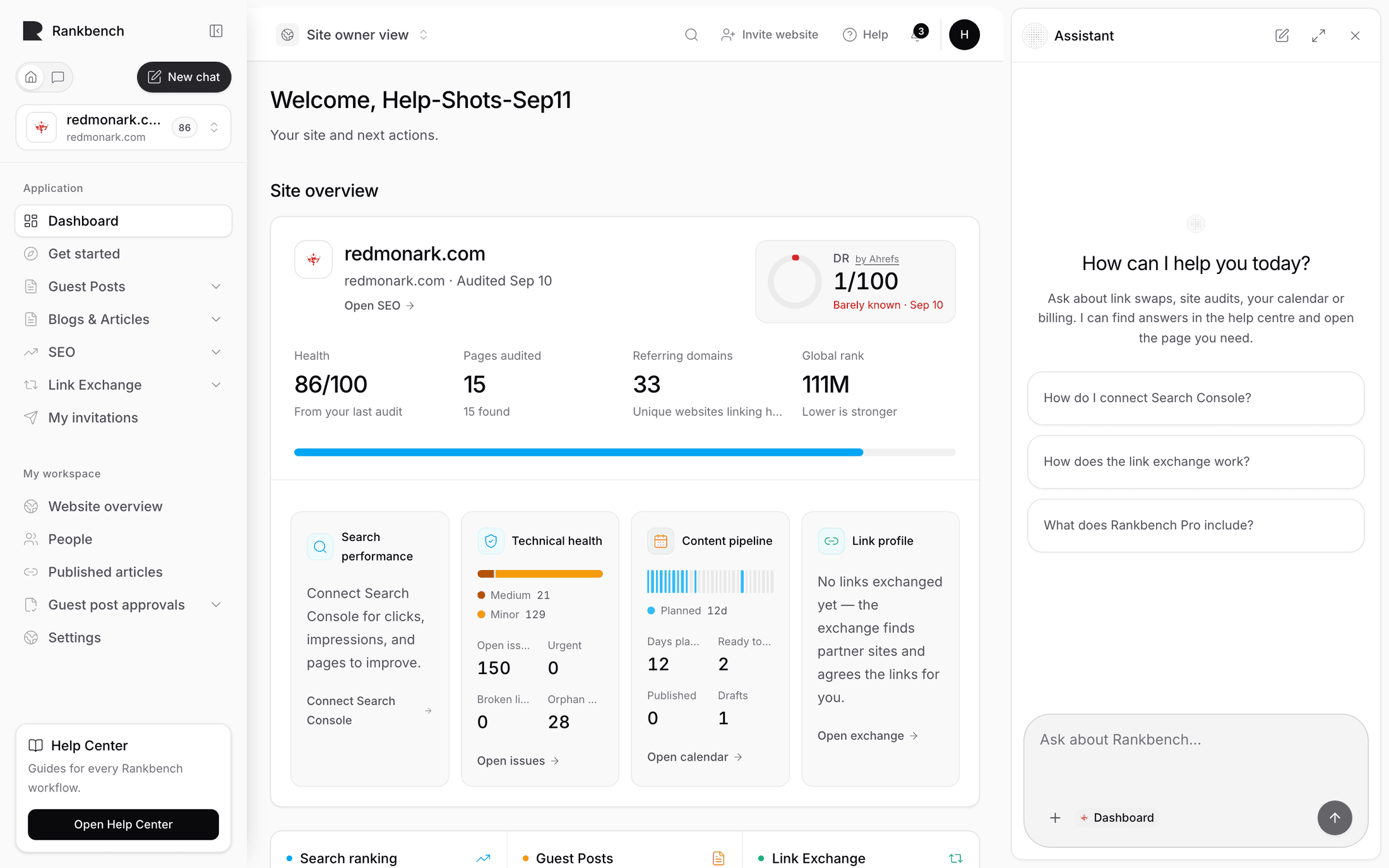
The assistant answers questions and, when you ask, does things. It reads this help centre and nothing else, which is its limit and also why you can trust it. It's most useful mid-task, on a screen you don't fully understand.
Step 1: Open it on a screen you're unsure about
- Go somewhere unfamiliar, like the Competitors tab.
- Press Ask AI in the sidebar to open the panel.
- Choose Explain this page.
Step 2: Check the sources
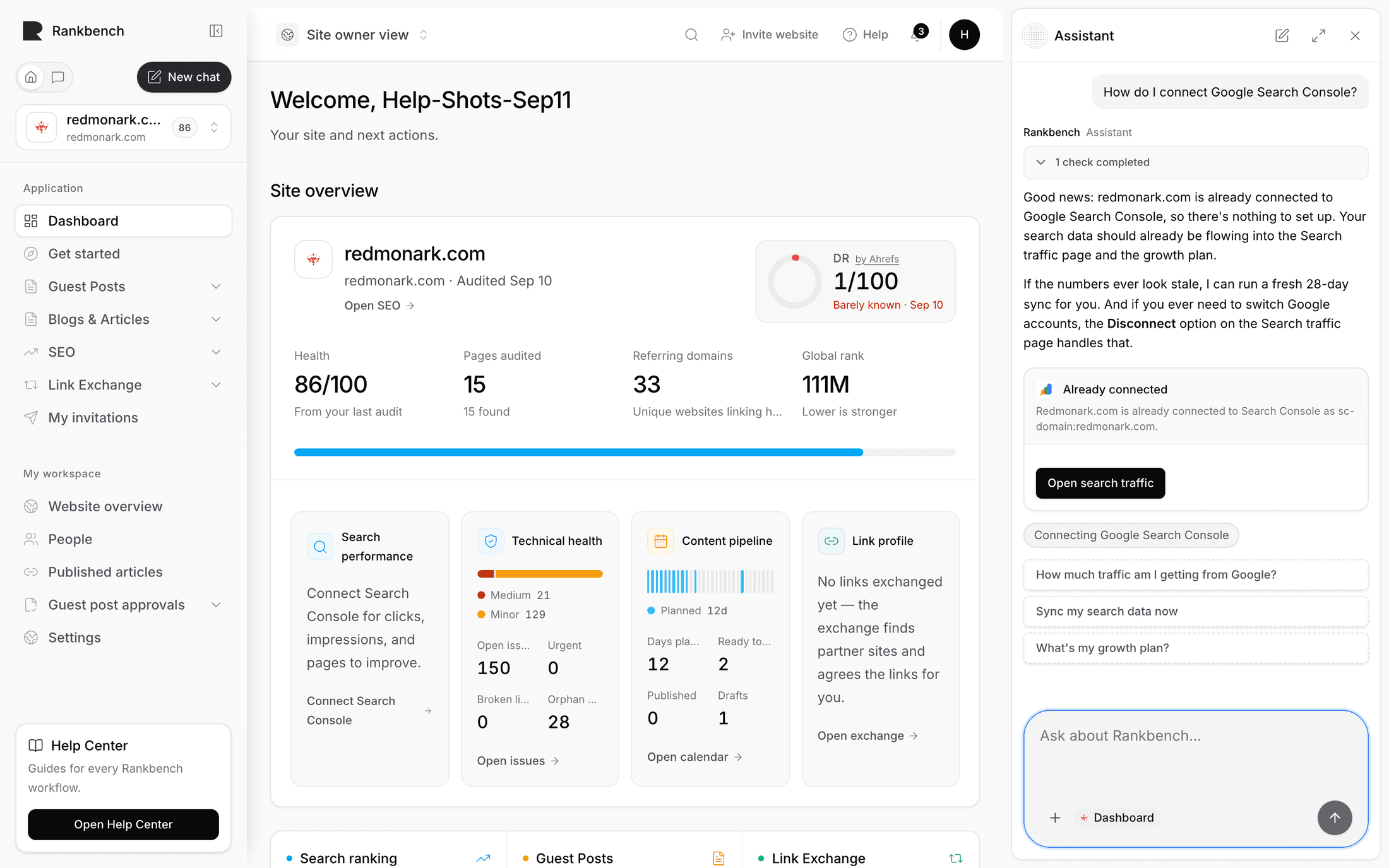
Every answer lists the articles it came from, as links. Open one. The answer is a summary, and if the two ever disagree, the article is right.
Step 3: Ask your own question
Ask something specific in your own words: why an audit won't run, how to stop the calendar publishing, what an SEO consultant can see.
When the help centre doesn't cover something, the assistant says so rather than guessing. It won't describe a button or setting that isn't documented. It may also offer one button to take you to where the answer lives.
Tip
When you know roughly what you're doing but not what to do first, Show my next step finds the most useful action from where you are.
Step 4: Let it do something
The assistant can run an audit, read your search data, connect Search Console, work on exchange requests, publish calendar articles, test a CMS connection and more. Try something easy to check, such as asking what's on your fix list.
- It only does what your own account is allowed to do.
- Anything that changes something asks you to confirm in the chat first.
- A confirmation left too long lapses instead of acting late.
Step 5: Know what it won't do
It can't see your live pages beyond what the last audit read, and it doesn't send email or messages for you. Past conversations are kept under Show chat history in the sidebar.
Step 6: Set starters for your workspace (admins)
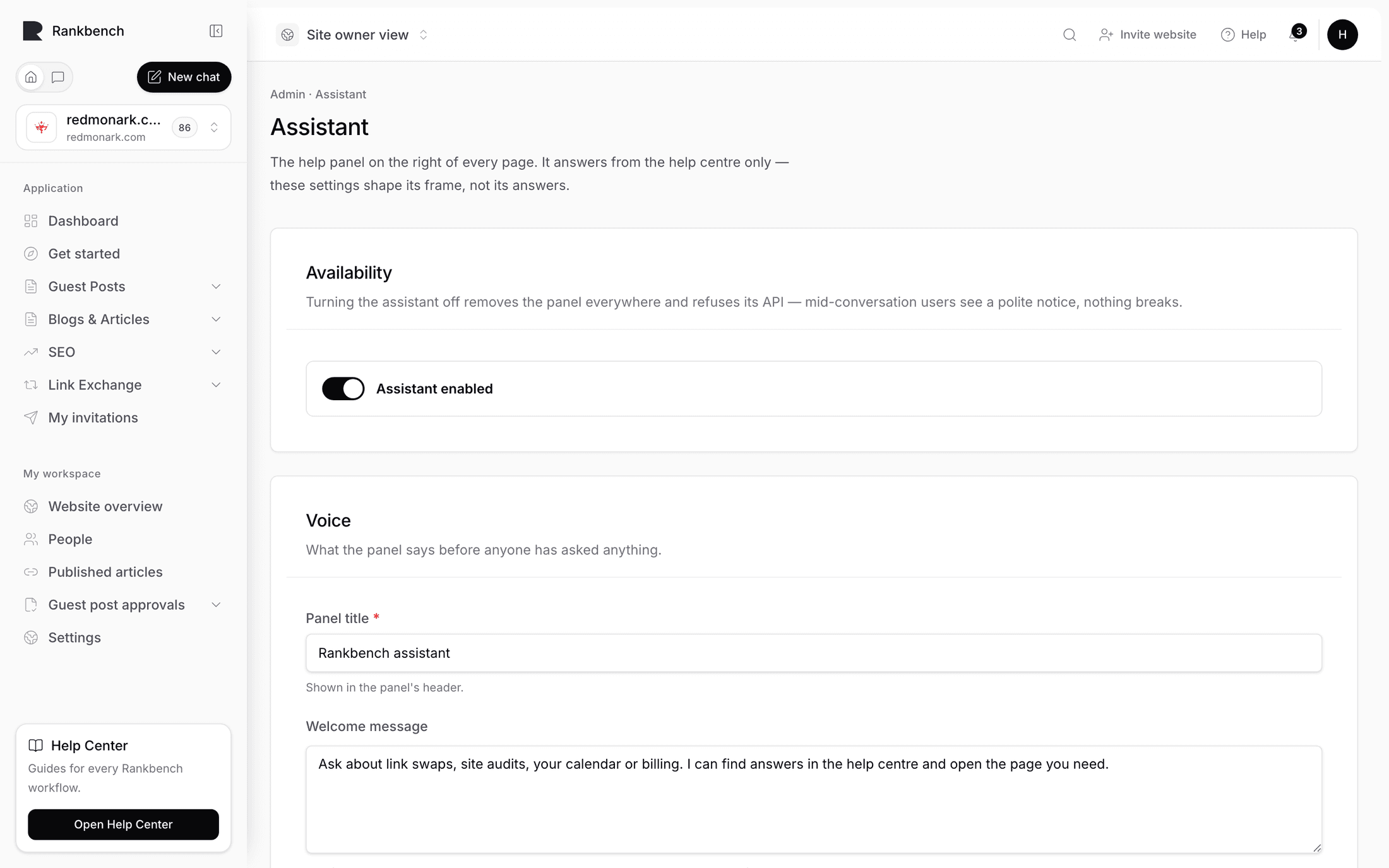
- Open the Assistant settings page. No menu leads there: go to
/admin/settings/assistant, or ask the assistant to take you to its settings. - Set the Panel title and Welcome message. Say what it can do and where its answers come from.
- Add up to six Suggested questions, taken from what people actually ask you.
What to do next
- The assistant, for everything it can do
- The help centre, if you'd rather read than ask
Still stuck?
Open Rankbench and the page this article describes — most screens explain themselves as you go.