Opening Rankbank0.0s
Getting startedCreating your Rankbank accountAdding your first websiteProving your site is yoursWriter view and Site owner viewHow Rankbank tells you thingsYour dashboardRankbank Pro and billing
Site audit & search growthThe SEO overview, explainedHow Rankbank reads your siteThe site health scoreThe Problems to fix pageEvery problem type, explainedYour fix listFindings: how to read a cardEverything Rankbank looks forThe map of your siteConnecting Google Search ConsoleThe growth planSuggested linksTopics and content ideasAuthority: how much weight your site carriesThe Search traffic pagePast reads and history
Guest postsGuest posting on RankbankSubmitting your first guest postImporting from Google DocsWriting in the Rankbank editorReview & send: the last step before the editorsWhen the editors ask for changesTracking your guest postsFor site owners: opening your site to guest postsFor site owners: writing your guidelinesFor site owners: reviewing a submissionFor site owners: publishing and the live checkThe Content Library
Link exchangeLink swaps on RankbankSetting up your site for swapsPages you shareFinding a site to swap withSending a swap requestReviewing a swap request you receivedAsking a partner for a linkAnswering a link requestWhen the page is published somewhere you can't editHow Rankbank keeps watchThe partner ledger
Content calendarThe content calendarSetting up your calendarWhere the keywords come fromReading the calendarSteering an article before it's writtenReviewing and editing a draftConnecting where it publishesPublishing and what happens nextStyle & settings
TutorialsYour first site audit, from "read my site" to fixes you can ship this weekConnecting Search Console and turning its data into clicksWriting a guest post that gets accepted, the full pathRunning guest posts on your site without letting quality slipYour first link swap, start to finishKeeping your links alive, from wording changes to missing linksA month of content on autopilot, done properly
RankbankHelp center
Open Rankbank →
Getting startedCreating your Rankbank accountAdding your first websiteProving your site is yoursWriter view and Site owner viewHow Rankbank tells you thingsYour dashboardRankbank Pro and billing
Site audit & search growthThe SEO overview, explainedHow Rankbank reads your siteThe site health scoreThe Problems to fix pageEvery problem type, explainedYour fix listFindings: how to read a cardEverything Rankbank looks forThe map of your siteConnecting Google Search ConsoleThe growth planSuggested linksTopics and content ideasAuthority: how much weight your site carriesThe Search traffic pagePast reads and history
Guest postsGuest posting on RankbankSubmitting your first guest postImporting from Google DocsWriting in the Rankbank editorReview & send: the last step before the editorsWhen the editors ask for changesTracking your guest postsFor site owners: opening your site to guest postsFor site owners: writing your guidelinesFor site owners: reviewing a submissionFor site owners: publishing and the live checkThe Content Library
Link exchangeLink swaps on RankbankSetting up your site for swapsPages you shareFinding a site to swap withSending a swap requestReviewing a swap request you receivedAsking a partner for a linkAnswering a link requestWhen the page is published somewhere you can't editHow Rankbank keeps watchThe partner ledger
Content calendarThe content calendarSetting up your calendarWhere the keywords come fromReading the calendarSteering an article before it's writtenReviewing and editing a draftConnecting where it publishesPublishing and what happens nextStyle & settings
TutorialsYour first site audit, from "read my site" to fixes you can ship this weekConnecting Search Console and turning its data into clicksWriting a guest post that gets accepted, the full pathRunning guest posts on your site without letting quality slipYour first link swap, start to finishKeeping your links alive, from wording changes to missing linksA month of content on autopilot, done properly
  1. Help center
  2. /
  3. Guest posts
  4. /
  5. For site owners: publishing and the live check

For site owners: publishing and the live check

Updated August 24, 2026


This article is for site owners. The author's view of the same moment is the "It's live!" banner covered in Tracking your guest posts.

Approving an article is not the end of the flow. Three things still have to happen: you publish it, you tell Rankbank where, and Rankbank checks that what went up matches what you approved.

The Publish it section

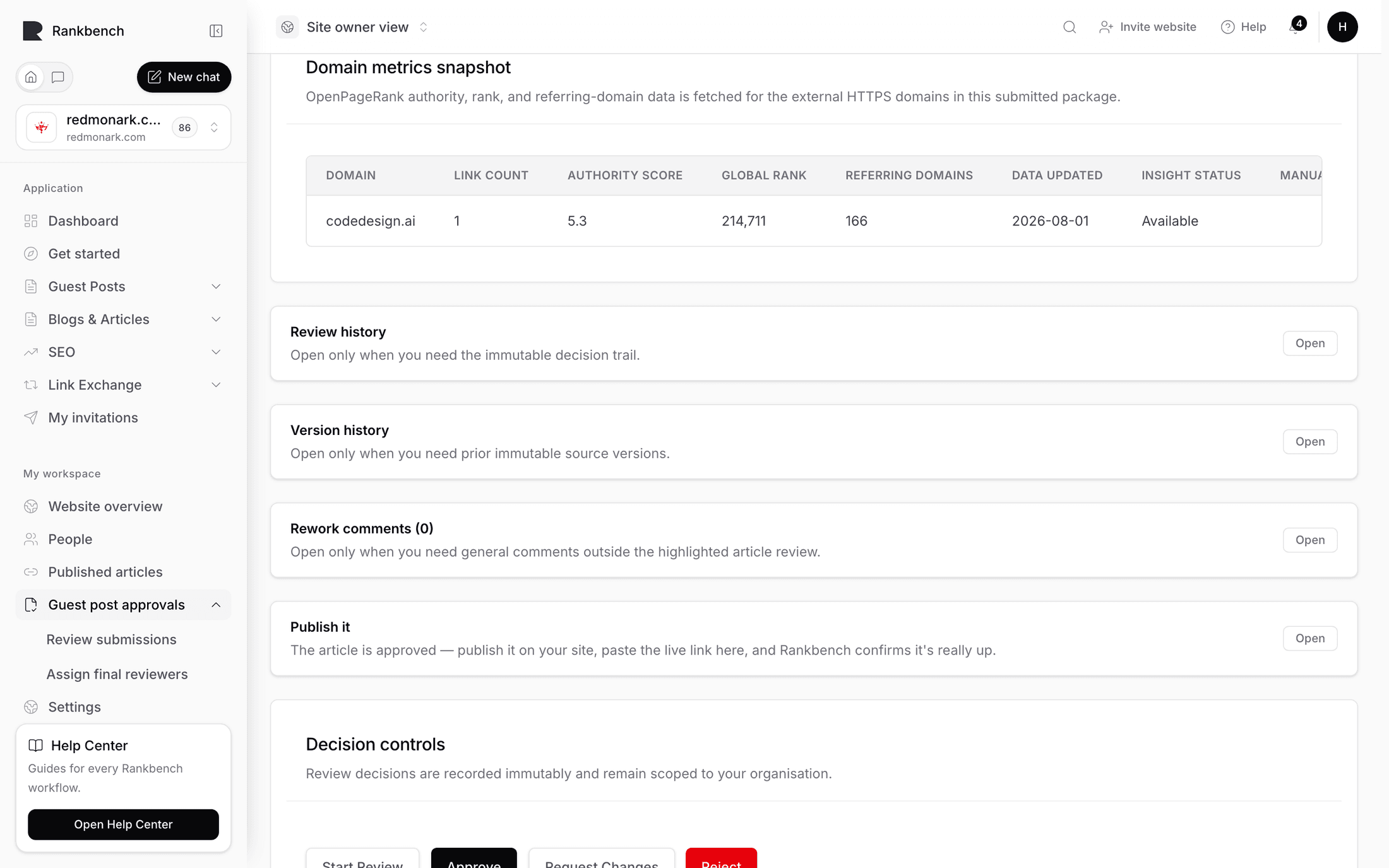
Once you approve, a disclosure called Publish it opens on its own, and it summarises the deal in a sentence: "The article is approved — publish it on your site, paste the live link here, and Rankbank confirms it's really up."

Read the order carefully. You publish first. Rankbank has no connection to your CMS in this flow and does not post anything to your site. Putting the article live, with whatever formatting, byline and category your site uses, is yours to do in your own publishing tool.

The Publish it section on the review page, open, with the Submit live URL button, the live publications table and the live validations table below it.
The section opens by itself once the article is approved, and stays open through publication and checking.

Submitting the live URL

Press Submit live URL. The modal is titled the same, and states its scope: "Live URL submission starts the publication validation path. It does not create an Exchange."

Three fields:

  • Live URL, the published address, with the placeholder https://example.com/published-article. Paste the final address, the one a reader would land on, rather than a preview or admin link.
  • Publication date.
  • Public publication note, a note the author can see. Use it for anything they would want to know: the section it ran in, an editor's headline change, a scheduled promotion.

Press Submit Live URL to record it.

That does two things immediately. The article moves on in its lifecycle, and the author is notified: "{title} is live" with "The site published it. We're checking the link now."

Until you submit a URL, approved articles wait. The Live publications table says so when it is empty: "Approved Guest Posts wait here until Admin submits the published URL."

Running the check

Press Run validation. Rankbank fetches the live page and compares it against the approved version. Four things are examined.

Can the page be reached at all. A non-HTML response, a redirect loop, a DNS failure or a timeout all end the check here.

Is it indexable. Rankbank looks for a noindex instruction, both in the page's meta tags and in the HTTP headers a server sends alongside it. A guest post that search engines are told to ignore passes no value to anybody, which is exactly what the author was here for.

Does the content match. The live page is compared against the approved article. This is deliberately tolerant, because your template adds navigation, a footer, related posts and a comment form, and none of that should count against you. It catches genuine divergence: a different article at that URL, or half the piece missing.

Are the links there. For every link in the approved version, Rankbank looks for a link on the live page pointing at the same destination, and checks that its wording still matches. A link that survived but whose anchor text was rewritten is reported as changed rather than missing, so you can see the difference.

Reading the result

The result is stated plainly, either way. Passing: "The live page checks out — links verified." Failing: "The live page didn't pass validation — see the results below."

The summary stored with the check is more specific:

  • "The live page is accessible, indexable, matches the approved content, and contains the expected links."
  • "The live page is accessible, but one or more approved links are missing."
  • "The live page is accessible, but the content does not sufficiently match the approved version."
  • "The live page is not indexable."
  • "The live page did not return a successful HTTP response."
  • "The live page could not be verified."

The Live validations table records every attempt with its Status, Expected and Verified link counts, when it was Validated, a Content score percentage, and the Summary.

A row in the live validations table showing a failed status, the expected and verified link counts, the validation date, the content score and the summary sentence.
Expected against Verified is the fastest read on the table. Equal numbers mean every approved link was found; this run found none of them.

Every attempt is kept. A post that failed, got fixed and passed shows all three, which is the record you want when somebody asks what happened.

When a check fails

Failures are almost always one of four things, and three of them are on your side.

A link is missing. The commonest cause by far, and usually a paste that dropped the markup, or a template that strips links from a particular field. Re-add the link and run the check again.

The anchor text changed. An editor rewrote the sentence carrying the link. Sometimes that is fine and worth telling the author about in the publication note. Sometimes it changed the meaning of the link, in which case put the wording back.

The page is not indexable. A noindex left on from staging, or a section of your site that is excluded by default. Fix it in your CMS.

The content does not match. Usually a heavy edit, or the wrong URL pasted. Check the address first.

Failures notify both sides, filed under Action needed: "The live link didn't check out for {title}", with the summary. The author is told because it affects them, and you are told because in most cases the fix is yours. Fix the page and press Run validation again.

Note

The check compares against the approved version, never the author's latest draft. Late changes an author made after approval are not part of what gets verified, and cannot cause a failure.

What a pass sets in motion

Three things happen at once when a check comes back clean.

The article's status becomes Verified live.

The author is notified: "The live link checked out for {title}", filed as information rather than as an action. On their article page they get a banner reading "It's live!" with "We confirmed this guest post is published on the destination site. You'll find it in your Content Library from now on."

An entry appears in the Content Library for both of you. That entry is created by the passing check itself, exactly once, and there is no way to add one by hand. It is proof-of-work precisely because nobody can type it in.

Keeping a habit

Run the check the day you publish, while the page is fresh in your mind and the person who published it is still at their desk. A failure caught the same afternoon is a two-minute fix. The same failure found six weeks later is an awkward email to an author who has stopped expecting anything from you.

← For site owners: reviewing a submissionThe Content Library →

Still stuck?

Open Rankbank and the page this article describes — most screens explain themselves as you go.

On this page

The Publish it sectionSubmitting the live URLRunning the checkReading the resultWhen a check failsWhat a pass sets in motionKeeping a habit
Rankbank — Editorial collaborationOpen RankbankHelp home