Opening Rankbank0.0s
Getting startedCreating your Rankbank accountAdding your first websiteProving your site is yoursWriter view and Site owner viewHow Rankbank tells you thingsYour dashboardRankbank Pro and billing
Site audit & search growthThe SEO overview, explainedHow Rankbank reads your siteThe site health scoreThe Problems to fix pageEvery problem type, explainedYour fix listFindings: how to read a cardEverything Rankbank looks forThe map of your siteConnecting Google Search ConsoleThe growth planSuggested linksTopics and content ideasAuthority: how much weight your site carriesThe Search traffic pagePast reads and history
Guest postsGuest posting on RankbankSubmitting your first guest postImporting from Google DocsWriting in the Rankbank editorReview & send: the last step before the editorsWhen the editors ask for changesTracking your guest postsFor site owners: opening your site to guest postsFor site owners: writing your guidelinesFor site owners: reviewing a submissionFor site owners: publishing and the live checkThe Content Library
Link exchangeLink swaps on RankbankSetting up your site for swapsPages you shareFinding a site to swap withSending a swap requestReviewing a swap request you receivedAsking a partner for a linkAnswering a link requestWhen the page is published somewhere you can't editHow Rankbank keeps watchThe partner ledger
Content calendarThe content calendarSetting up your calendarWhere the keywords come fromReading the calendarSteering an article before it's writtenReviewing and editing a draftConnecting where it publishesPublishing and what happens nextStyle & settings
TutorialsYour first site audit, from "read my site" to fixes you can ship this weekConnecting Search Console and turning its data into clicksWriting a guest post that gets accepted, the full pathRunning guest posts on your site without letting quality slipYour first link swap, start to finishKeeping your links alive, from wording changes to missing linksA month of content on autopilot, done properly
RankbankHelp center
Open Rankbank →
Getting startedCreating your Rankbank accountAdding your first websiteProving your site is yoursWriter view and Site owner viewHow Rankbank tells you thingsYour dashboardRankbank Pro and billing
Site audit & search growthThe SEO overview, explainedHow Rankbank reads your siteThe site health scoreThe Problems to fix pageEvery problem type, explainedYour fix listFindings: how to read a cardEverything Rankbank looks forThe map of your siteConnecting Google Search ConsoleThe growth planSuggested linksTopics and content ideasAuthority: how much weight your site carriesThe Search traffic pagePast reads and history
Guest postsGuest posting on RankbankSubmitting your first guest postImporting from Google DocsWriting in the Rankbank editorReview & send: the last step before the editorsWhen the editors ask for changesTracking your guest postsFor site owners: opening your site to guest postsFor site owners: writing your guidelinesFor site owners: reviewing a submissionFor site owners: publishing and the live checkThe Content Library
Link exchangeLink swaps on RankbankSetting up your site for swapsPages you shareFinding a site to swap withSending a swap requestReviewing a swap request you receivedAsking a partner for a linkAnswering a link requestWhen the page is published somewhere you can't editHow Rankbank keeps watchThe partner ledger
Content calendarThe content calendarSetting up your calendarWhere the keywords come fromReading the calendarSteering an article before it's writtenReviewing and editing a draftConnecting where it publishesPublishing and what happens nextStyle & settings
TutorialsYour first site audit, from "read my site" to fixes you can ship this weekConnecting Search Console and turning its data into clicksWriting a guest post that gets accepted, the full pathRunning guest posts on your site without letting quality slipYour first link swap, start to finishKeeping your links alive, from wording changes to missing linksA month of content on autopilot, done properly
  1. Help center
  2. /
  3. Site audit & search growth
  4. /
  5. The Search traffic page

The Search traffic page

Updated August 24, 2026


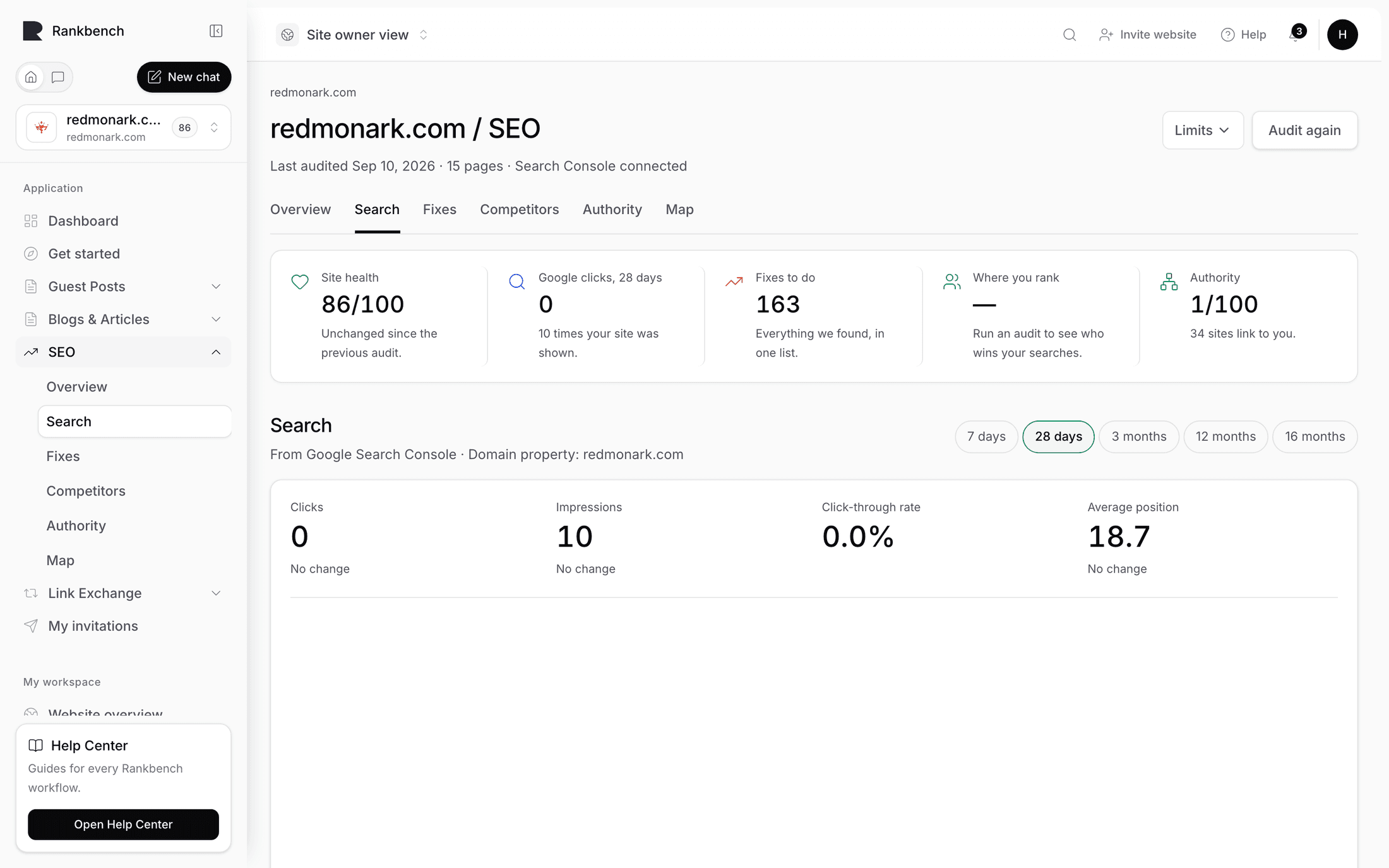
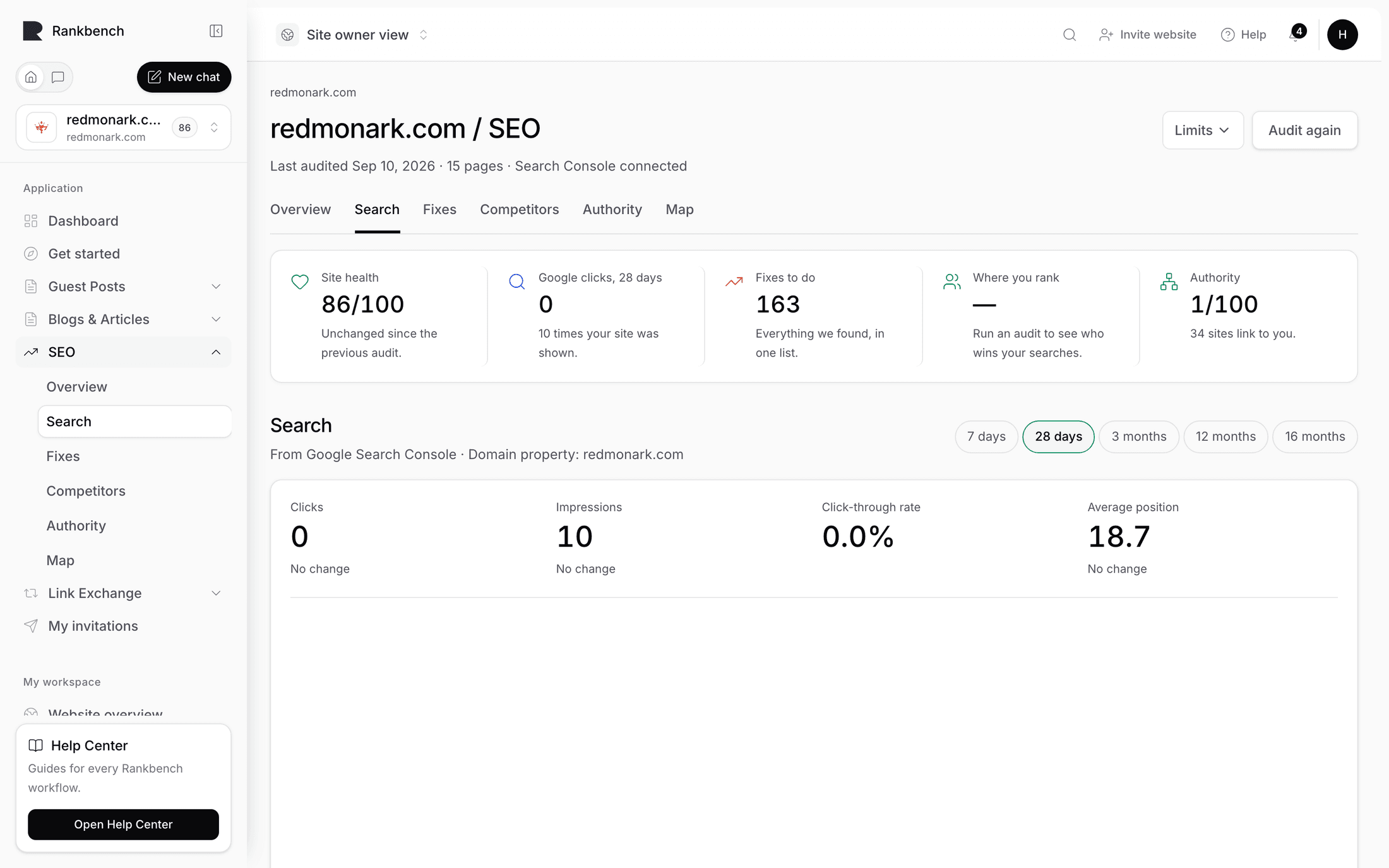
Search traffic is where your Google Search Console data lives in Rankbank. Its description: "Optional. Connect Google Search Console and Rankbank can see which pages people already find you through, then favour those pages in what it suggests."

It's also the page you connect from. See connecting Google Search Console for that flow, the property picker, and what the sync ranges do.

The six stat cards

Across the top, six numbers for the selected range, each with a line underneath comparing it to the period before.

CardWhat it counts
Organic ClicksPeople who clicked through to your site from Google.
ImpressionsTimes one of your pages appeared in results. Rankbank calls these appearances.
Average CTR"Clicks divided by impressions."
Average Position"Impression-weighted average position."
Pages with Impressions"Known URLs receiving demand."
Unmatched URLs"Search Console URLs not mapped to the latest crawl."

Click-through rate, or CTR, is the share of people who saw your listing and clicked it. It's the number the Make more people click section of the growth plan is built on: a page with plenty of impressions and a poor CTR has already won the hard part and is losing at the last step.

Unmatched URLs is the sleeper card. It counts pages Google has data for that a crawl following your own internal links never reached. That's usually old campaign pages, an orphaned section, or an area the navigation forgot, and above 50 appearances it turns into the finding Pages Google knows and your site forgot. Free traffic landing somewhere your site doesn't acknowledge.

The six stat cards with their comparison lines underneath
Each card carries a comparison against the window immediately before this one.

Reading the deltas

Four cards carry a comparison line, and it's silent when there's nothing to compare against, because a delta against a window that was never fetched would be a lie.

With no previous window: "Clicks in the selected range."

With one: "Up 240 clicks on the period before.", "Down 91 appearances on the period before.", or "The same as the period before."

Position gets its own treatment, because positions improve by getting smaller and nobody should have to translate that in their head: "Improved 2.4 places on the period before." or "Slipped 1.8 places on the period before." Movements under half a place read "About where it was in the period before."

Pages that gained, pages that lost

Two lists side by side, up to five pages each, comparing this window with the one before. Each row shows the movement as #8.2 → #4.6 and the click change as a signed number.

Pages that gained is a check on your own work. If you rewrote three titles two weeks ago, this is where you find out whether it landed.

Pages that lost carries a pointed description:

Worth a look before the slide continues — a page that already earned clicks is easier to defend than to win back.

That's the honest priority. Recovering position eight from eleven is ordinary work. Recovering it from thirty is a project. A page that's slipping is cheaper to save now than to rescue later, which is also why the Losing ground finding is high severity while most page-level findings are medium.

When nothing moved either way, the lists say "Nothing moved either way this period."

Search opportunities

A scored list of searches where you already appear and could climb, described as "Searches where you already show up and could climb — pulled from your own Search Console data."

Each opportunity carries a level. High at a score of 72 or above, medium at 45 or above, low below that. The score is built from several signals, and the reasons underneath say exactly which ones applied, in these words:

  • "1,240 impressions in the selected period."
  • "310 impressions show measurable demand."
  • "Average position 12.4 is in the review range."
  • "CTR 1.2% is low for the visible demand."
  • "Only 1 meaningful incoming internal links are known."
  • "Page belongs to Web performance."
  • "Crawl structure marks the page as true orphan candidate."

Read the reasons rather than the level. A high score built from "impressions" plus "position in the review range" is a content problem. A high score built from "only 1 meaningful incoming internal links" plus "true orphan candidate" is a linking problem, and the fix is minutes rather than hours. The two need completely different work and the level alone can't tell them apart.

The search opportunities list with levels, scores and the reason bullets under each
The reason bullets under each opportunity are more useful than the level above it.

Structural weakness is the signal to look for. When "crawl structure marks the page as..." appears, suggested links probably already has a proposal for that exact page.

Top pages and top queries

Top pages lists "Pages with the strongest search demand in the selected period." This is your site as Google's users actually experience it, which is often not the site you think you have. The pages at the top of this list deserve the most internal links, and when they don't get them that's the finding Best pages, least support.

Top queries lists "Aggregated query signals retained for the bounded sync window."

You'll see rows where the query reads No query. Google withholds the search term on some rows, usually because too few people used it for the term to be reported without identifying somebody. The clicks and impressions on those rows are real, the words simply aren't available. It's a Google privacy behaviour, not a Rankbank gap, and it shows up in every tool that reads this data.

The range switcher

Three ranges: 7 days, 28 days, 3 months. Switching changes every number on the page and every comparison with it.

28 days is the default and the window the rest of the module assumes, including the Google clicks, 28 days tile on your Overview. 7 days is for checking something you shipped this week. 3 months is the honest window for judging whether a change actually worked, because a month of data on a small site is mostly noise.

Every window ends two days ago. Google finalises its data late, so the last two days are incomplete, and comparisons use the immediately preceding window of the same length so the two are a fair match.

How much of Google you cover

A tile that answers a question Search Console cannot:

Not just the searches Google reported to you — every search this domain turns up for anywhere in the first hundred results.

Three figures:

Searches you appear for. How many distinct searches your domain turns up for at all, anywhere in the first hundred results.

Visits those rankings are worth. An estimate of what that presence should be worth per month.

Clicks Google actually recorded. Your real Search Console clicks for the same period, when you're connected.

The coverage tile with its estimated figures and the footer explaining what's estimated and what's measured
The first two figures are estimates. The third, once Search Console is connected, is measured — and the gap between them is the interesting part.

The footer changes depending on whether you're connected. With Search Console:

The first two numbers are estimates from advertising and ranking data; the last one Google measured itself. A large estimate beside few real clicks usually means the rankings exist but sit too low on the page to be clicked — which is what the findings here are for.

Without it:

These are estimates from advertising and ranking data, not from your own site. Connect Search Console and you can hold them up against the clicks Google actually recorded.

Either way, a Measured {date}. line sits underneath.

Note

The coverage tile only exists when market data is available for your domain, and it renders nothing at all when it isn't. No placeholder, no dash, no explanation of a thing you've never seen. If you don't have this tile, that's normal and nothing is broken. Everything else on the page works identically without it.

The same tile appears on the growth plan and on your Overview, always with the same numbers.

When there's no data yet

Connected but nothing synced, and the page says which of three things it is: "The last sync didn't finish, so there's nothing to show yet.", "Your site is connected, but no data has been pulled yet.", or "Pick which of your Google sites this project reports on, above."

Underneath: "Use the Sync button above to pull the last 28 days from Google. Clicks, impressions, positions and your search opportunities all appear here once it completes."

One statement and one next step, rather than six cards each reading "unavailable".

← Authority: how much weight your site carriesPast reads and history →

Still stuck?

Open Rankbank and the page this article describes — most screens explain themselves as you go.

On this page

The six stat cardsReading the deltasPages that gained, pages that lostSearch opportunitiesTop pages and top queriesThe range switcherHow much of Google you coverWhen there's no data yet
Rankbank — Editorial collaborationOpen RankbankHelp home