
Workspace settings
Updated · First published
A workspace is the container a website lives in, and it holds one site. So there is no separate workspace form any more: how you appear to everybody outside, in the partner directory, on your public submission page and to an editor reading one of your articles, is set on the site's own Settings page. Settings is in the sidebar under My workspace, and Website settings is in the switcher under the logo.
Buttons elsewhere that say Workspace settings lead to your site as well.
Your profile
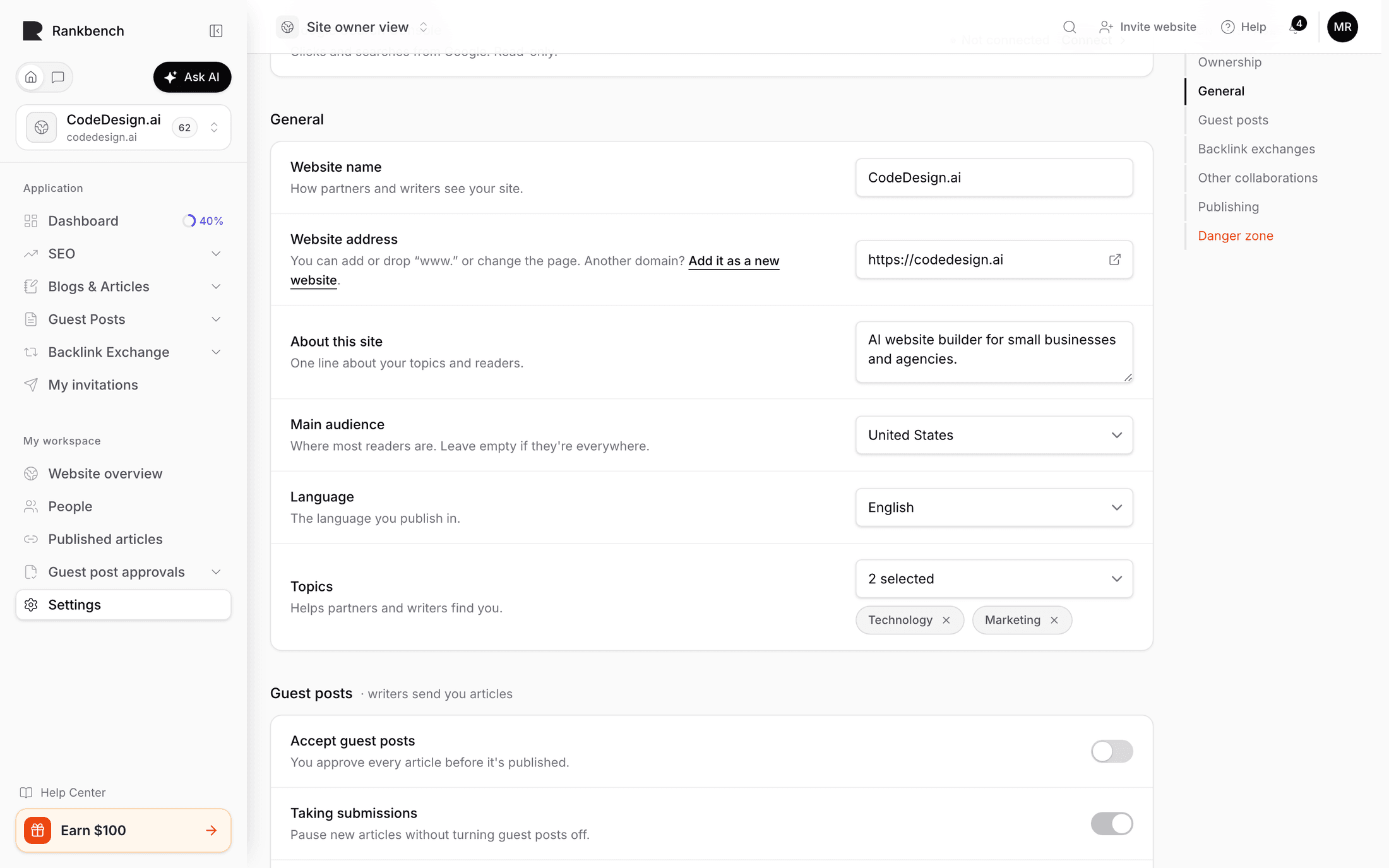
What used to be the workspace profile is General in Settings: Website name, Website address, About this site, Main audience, Language and Topics. The name is what other members see, and the audience, language and topics are what partners and writers find you by.
What people can ask of you
The collaboration switches are one per section, each on the site:
- Accept guest posts, under Guest posts.
- Accept backlink exchanges, under Backlink exchanges.
- Paid collaborations, under Other collaborations.
Who can find you and submit
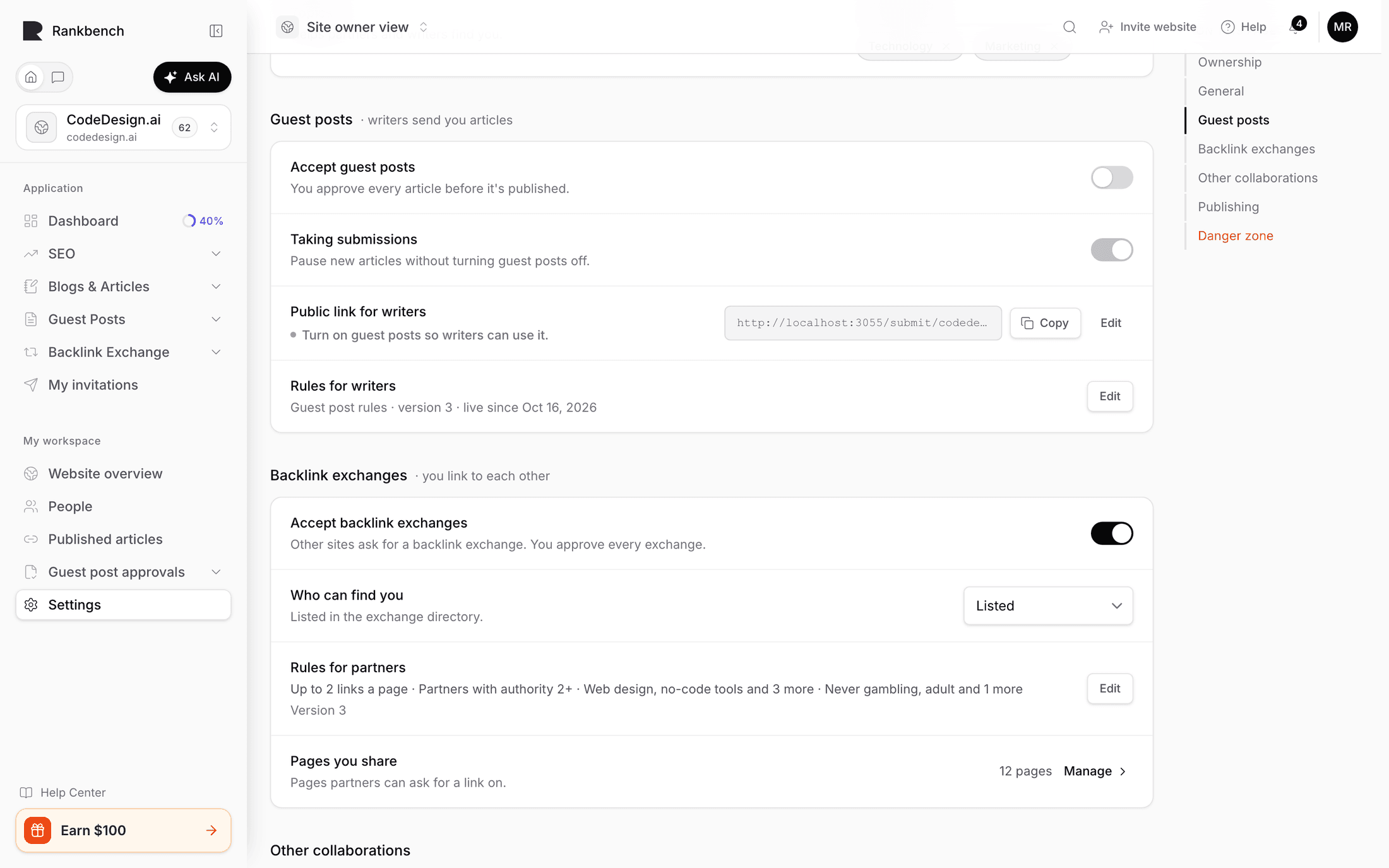
For guest posts, Public link for writers is your shareable submission address, with Edit to change the link name. Taking submissions pauses new articles without turning guest posts off.
For backlink exchanges, Who can find you decides whether the site is Listed in the directory or Hidden from it. A hidden site gets no new requests, but can still ask others.
Your rules
The editorial rules writers read are Rules for writers, under Guest posts, which offers presets and pickers rather than free text. See writing your guest post rules. The rules partners read before asking for an exchange are Rules for partners, under Backlink exchanges.
Everything above shares one save: Save changes, in the bar that appears when something changed. The rules publish from their own panels.
What belongs to the workspace
A few things are about the workspace rather than the site's profile. The people in it and their roles are on People. Whether a Pro slot covers it is on Billing & plan, under Sites covered. Both are covered in people and roles and Rankbench Pro and billing.
Where to go next
For every section of the site's page, read your website and its settings. To add colleagues, read people and roles.
Still stuck?
Open Rankbench and the page this article describes — most screens explain themselves as you go.